


AI Photo Text Editor: Edit text on image without the original design file

AI photo text editor to edit text on images directly. Change words, update dates, fix screenshots, and match fonts without design files. Try free online.

No image? Try these:

Click to load example
Credits
Replace text

1 credits · 1K (30–60s)

Failed generations are automatically refunded.

By clicking Generate, you confirm you own or are licensed to edit this image and that the edit is not intended to deceive a third party — including visa or immigration submissions, fake refund or transaction proofs, and email or chat screenshots altered to falsify sender, content, or timestamp. We do not process IDs, passports, visa support letters, official seals, bank statements, or tampered receipts. Violations result in account termination without refund; request logs are preserved. See Acceptable Use

Trial credits available after sign-upNo subscription · Pay as you goCredits never expireCommercial use included

Trusted by 100,000+ creators & businesses across 180+ countries

Pixel-Perfect Typography Engine

Pixel-perfect text replacement. Keep everything else.

Most image editors reset the font, smear background textures, or warp perspective angles. We don't. Every pixel around the text stays authentic, sharp, and seamless.

100,000+
Creators & Businesses
Across 180+ countries worldwide
250,000+
Images Processed
Seamless text replacements
99.4%
Font & Perspective Accuracy
Adaptive lighting & grain match
2K HD
Commercial Resolution
Ready for print & digital campaigns
Real Pixel Precision · Exact Font Blend

Hard Edits, Shown Honestly

Real photos, real output. No mockups. Drag the divider to compare the original and edited photo.

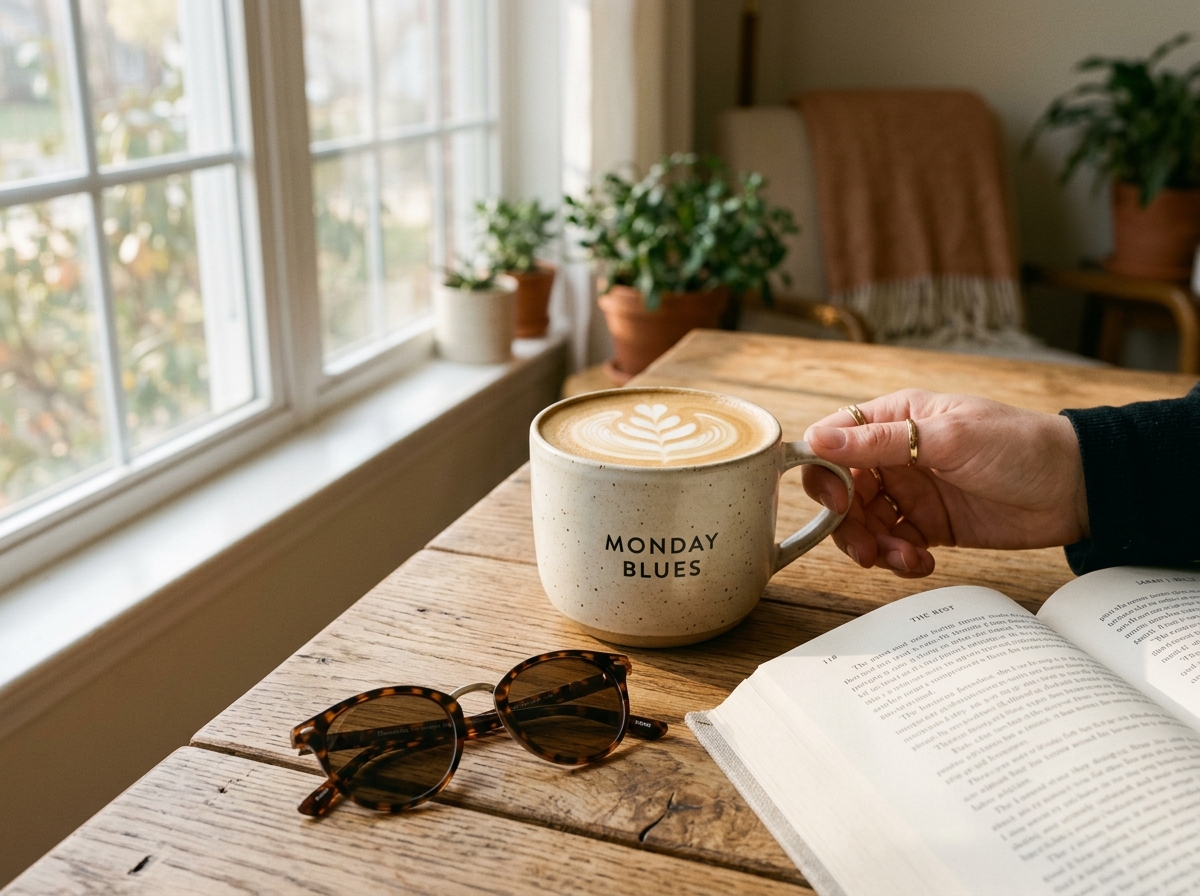
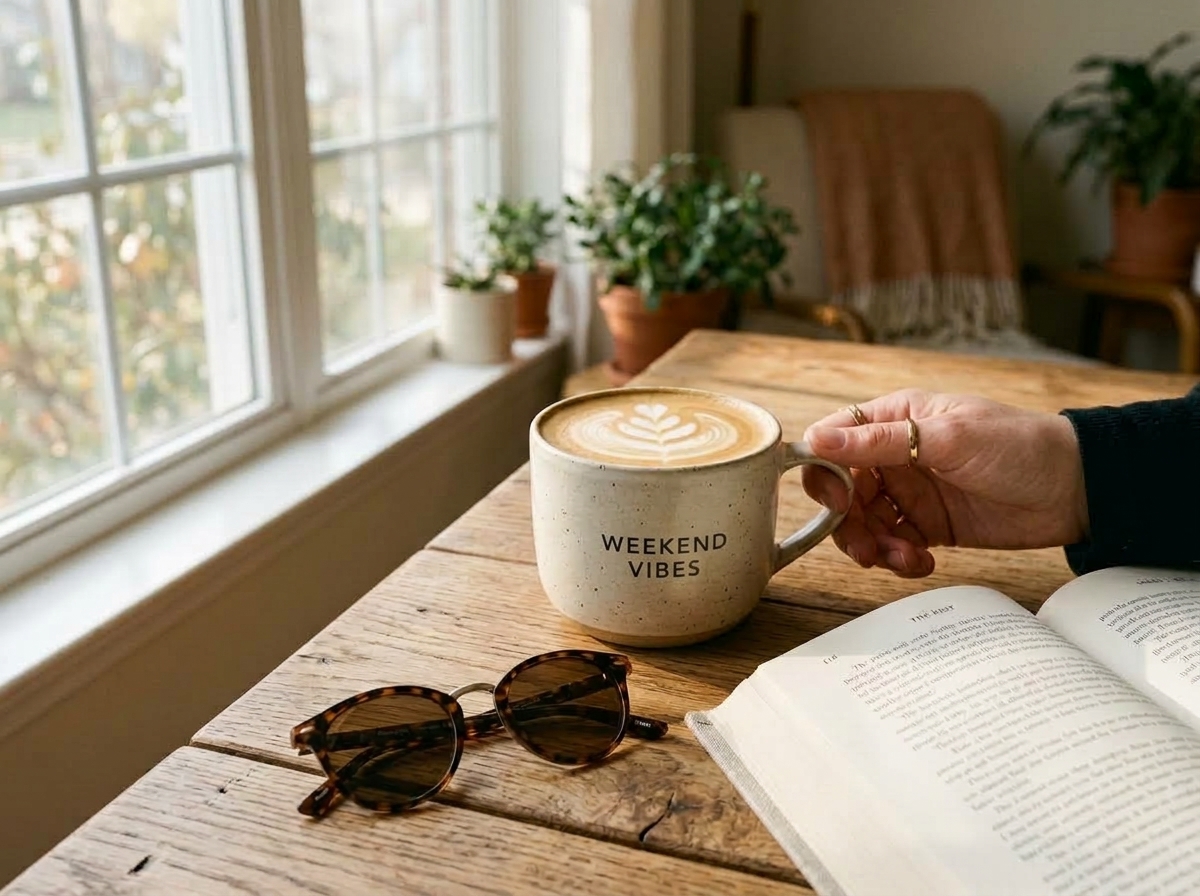
Daily LifestyleCeramic Mug Print & Morning Sunlight
Drag divider to compare
Original photo before editing
Photo after editing text with AI
Edited Output
Original Photo

Seamlessly replaces printed typography on a handcrafted ceramic mug while preserving mug curvature, ceramic speckles, latte art, and soft window morning sunlight.

Authentic Lifestyle & Commercial Gallery

From cozy morning coffee cups and birthday cakes to leather debossing and street storefronts — 100% authentic photography.

100% Authentic Photos · 2K
Original Coffee & Daily
BEFORE
MONDAY BLUES
AI edited Coffee & Daily
AFTER
WEEKEND VIBES
Daily LifestyleCase #1

Ceramic Mug Print & Morning Sunlight

Seamlessly replaces printed typography on a handcrafted ceramic mug while preserving mug curvature, ceramic speckles, latte art, and soft window morning sunlight.

MONDAY BLUESWEEKEND VIBES
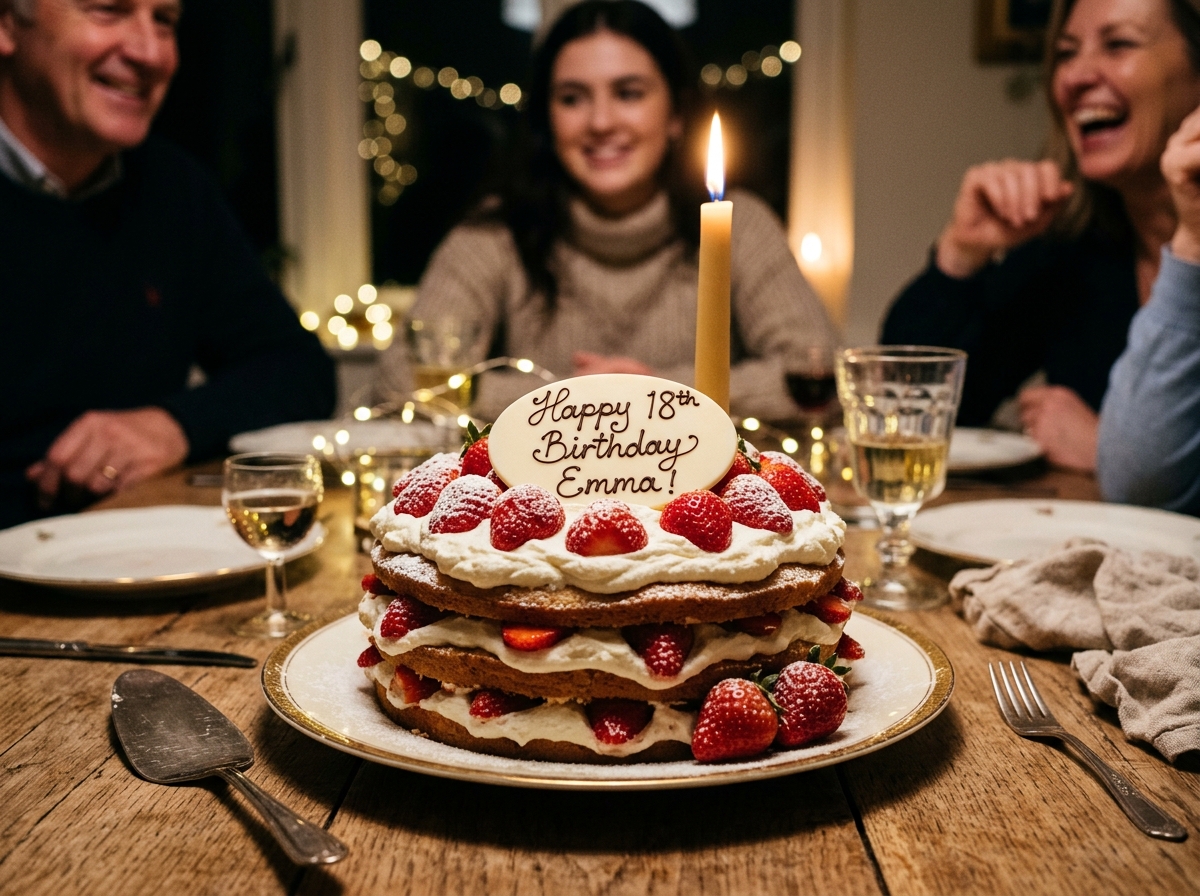
Original Celebrations
BEFORE
Happy 18th Birthday Emma!
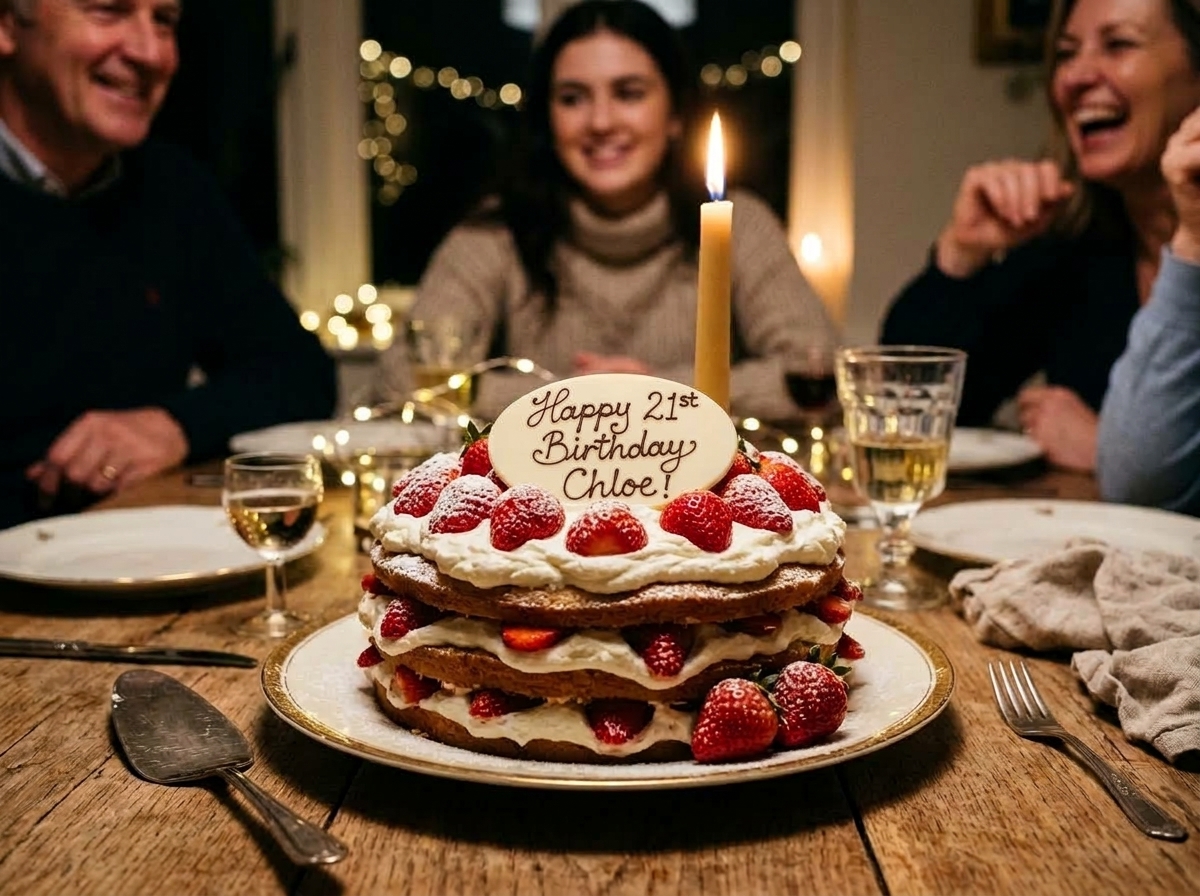
AI edited Celebrations
AFTER
Happy 21st Birthday Chloe!
Celebration & MomentsCase #2

Chocolate Cake Plaque & Intimate Candlelight

Strawberry cake under candlelight at a warm family gathering. Seamlessly updates the greeting name and age on the white chocolate plaque while preserving chocolate gloss and cream textures.

Happy 18th Birthday Emma!Happy 21st Birthday Chloe!
Original Personalized Gifts
BEFORE
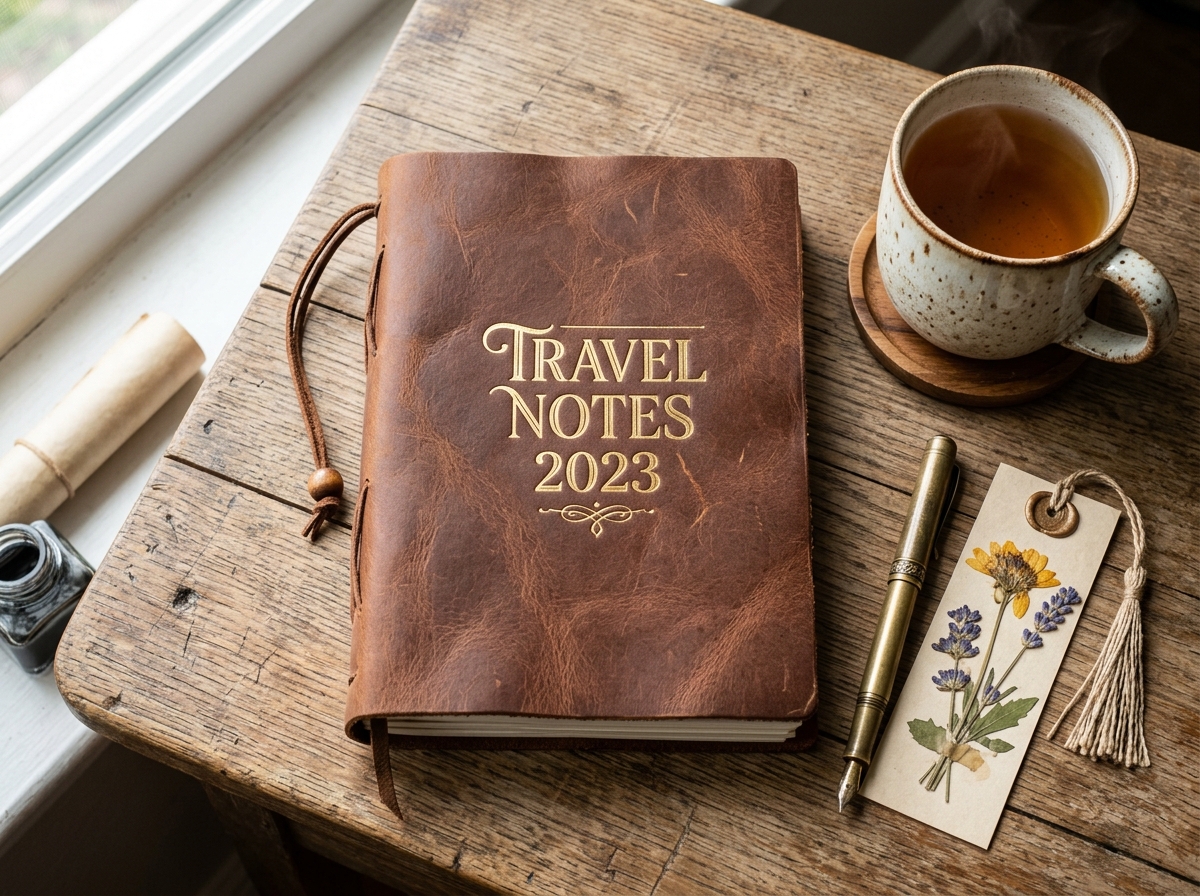
TRAVEL NOTES 2023
AI edited Personalized Gifts
AFTER
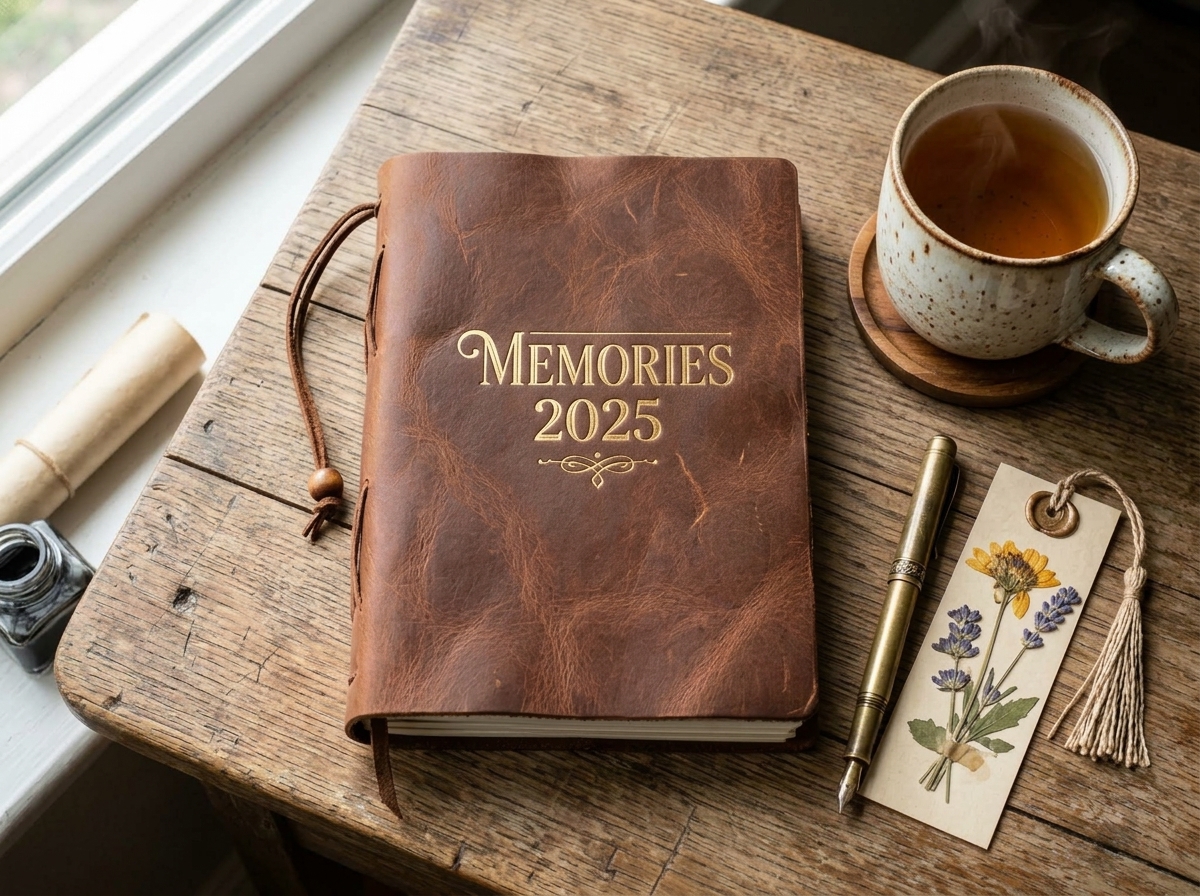
MEMORIES 2025
Handcrafted GoodsCase #3

Hot-Stamped Gold Foil Debossing on Leather

Updates debossed gold lettering on handcrafted leather journals alongside a fountain pen and steaming tea, retaining rich leather grain and hot-stamped indentations.

TRAVEL NOTES 2023MEMORIES 2025
Original Storefront Signs
BEFORE
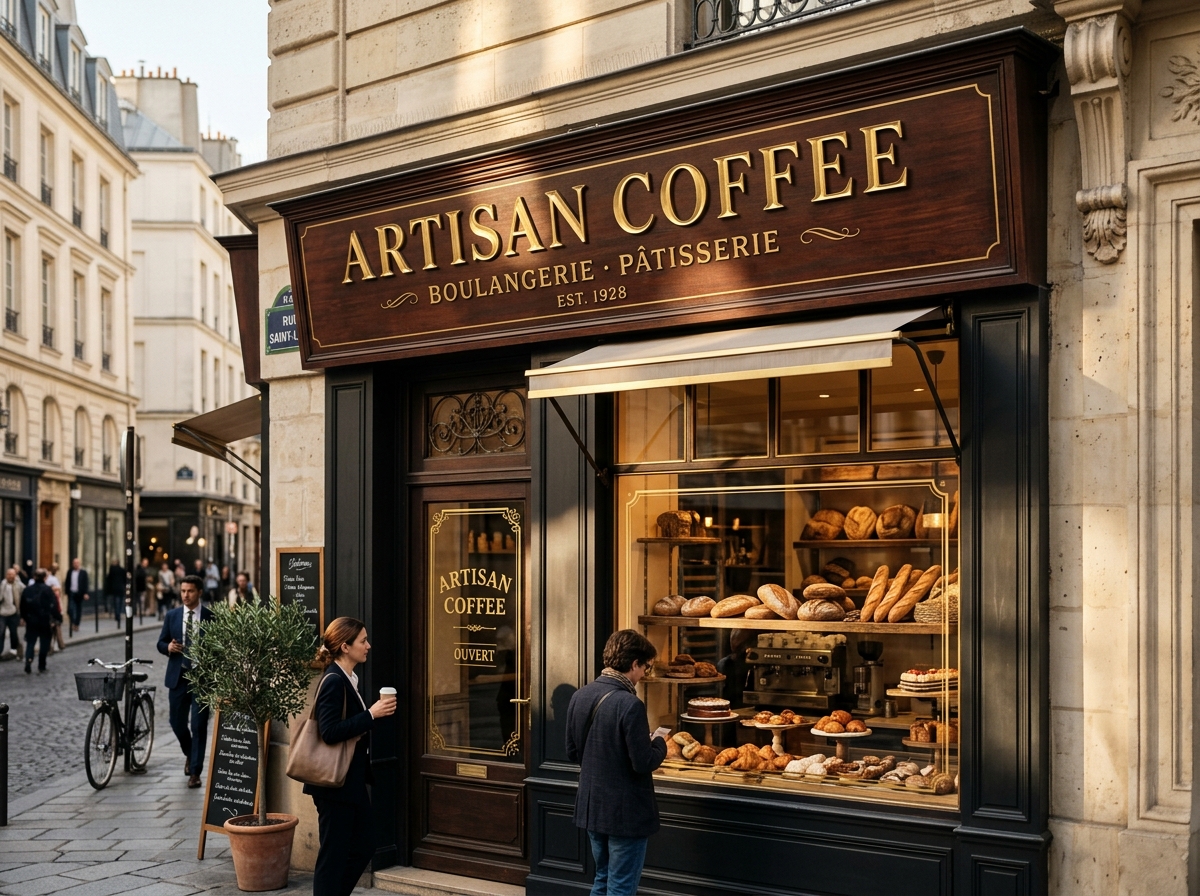
ARTISAN COFFEE
AI edited Storefront Signs
AFTER
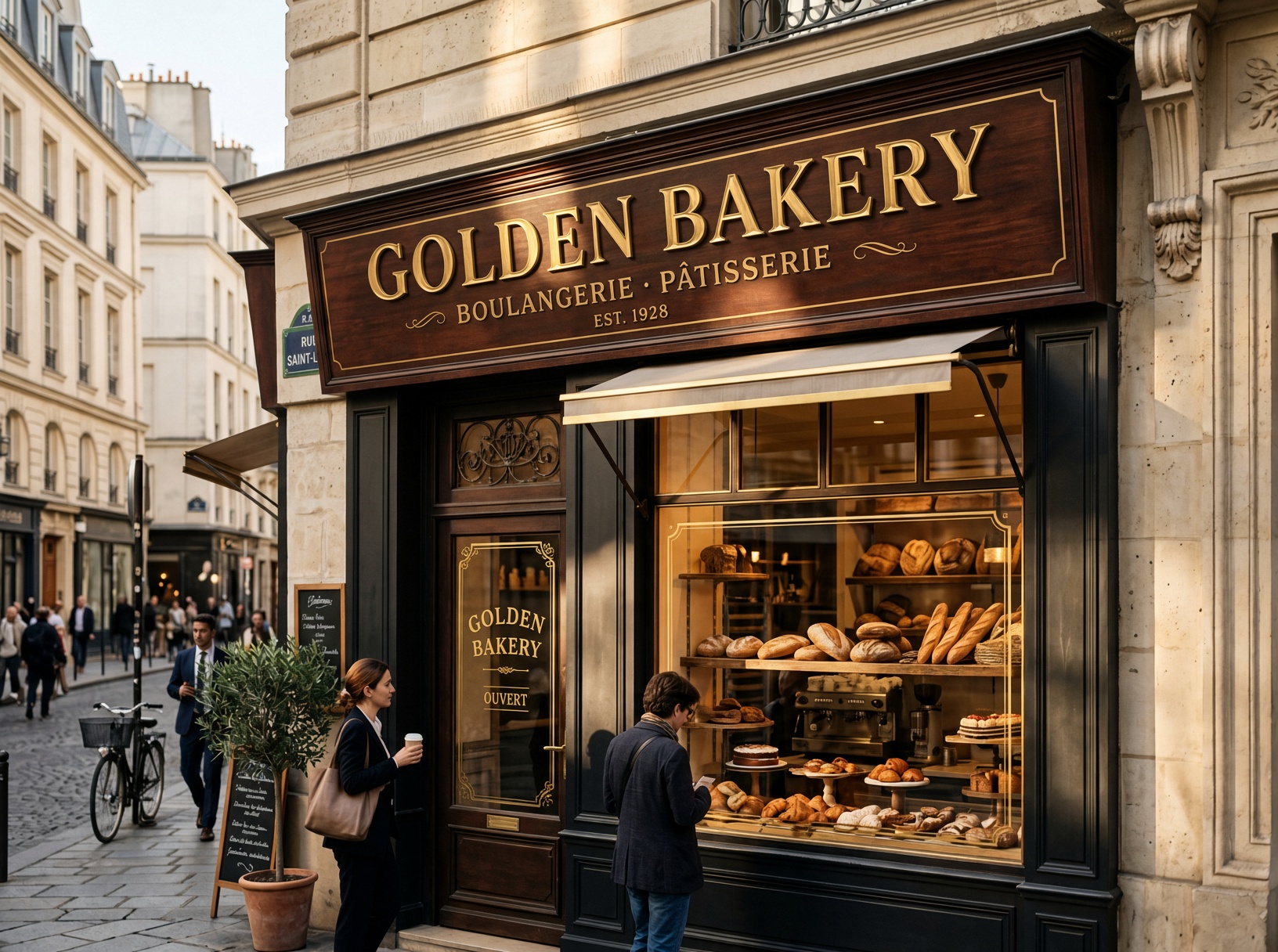
GOLDEN BAKERY
Physical BusinessCase #4

3D Gold Metallic Lettering & Architectural Perspective

Seamlessly replaces 3D relief text on vintage wooden signage while perfectly matching sun angle, wood grain, perspective, and glass door decal text.

ARTISAN COFFEEGOLDEN BAKERY
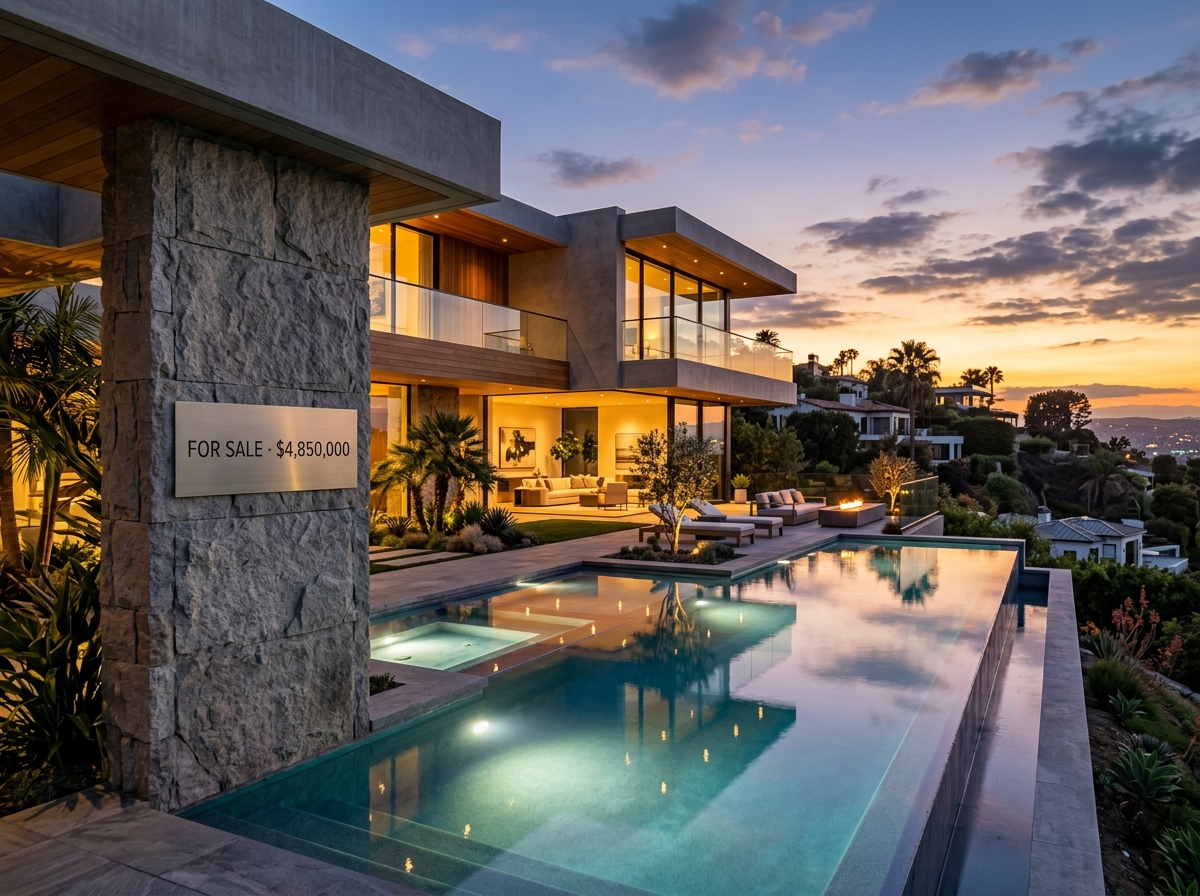
Original Real Estate
BEFORE
FOR SALE · $4,850,000
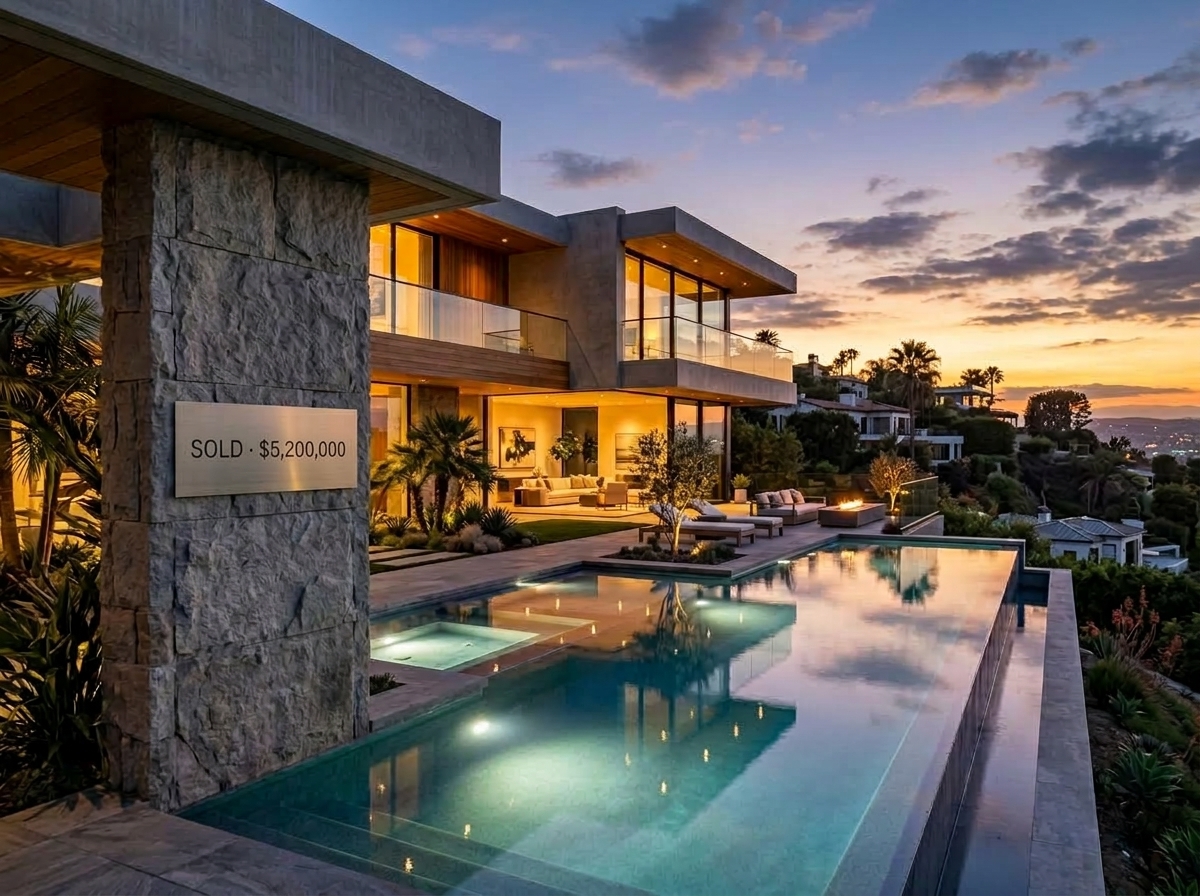
AI edited Real Estate
AFTER
SOLD · $5,200,000
Property & RealtyCase #5

Listing Status & Official Asking Price Updates

Seamlessly changes listing badges from FOR SALE to SOLD and updates property prices without disturbing evening sky tones, facade textures, or architectural lighting.

FOR SALE · $4,850,000SOLD · $5,200,000
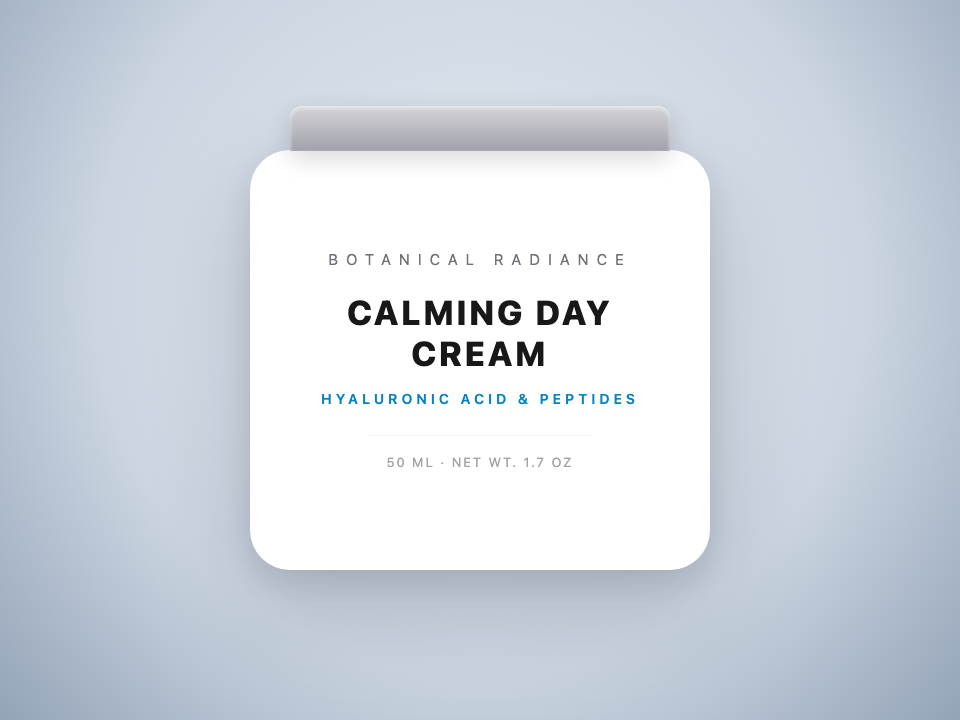
Original Cosmetics
BEFORE
CALMING DAY CREAM
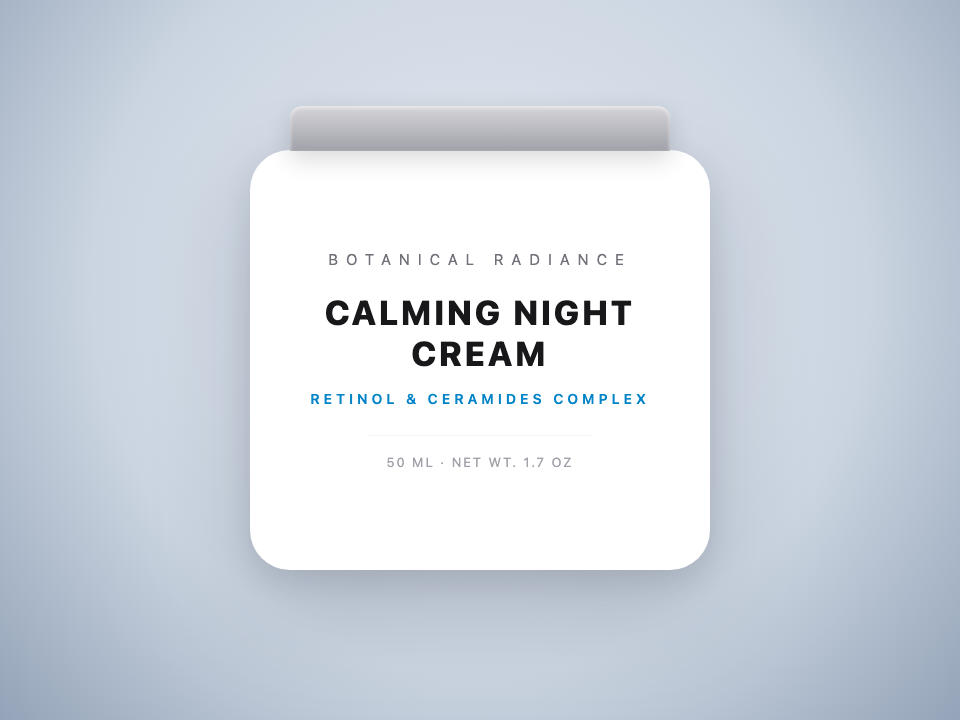
AI edited Cosmetics
AFTER
CALMING NIGHT CREAM
E-Commerce PackagingCase #6

Day-to-Night SKU Variant Packaging Swaps

Swaps product names, active formula ingredients, and net weights on finished bottle photography — eliminating expensive commercial studio reshoots.

CALMING DAY CREAMCALMING NIGHT CREAM
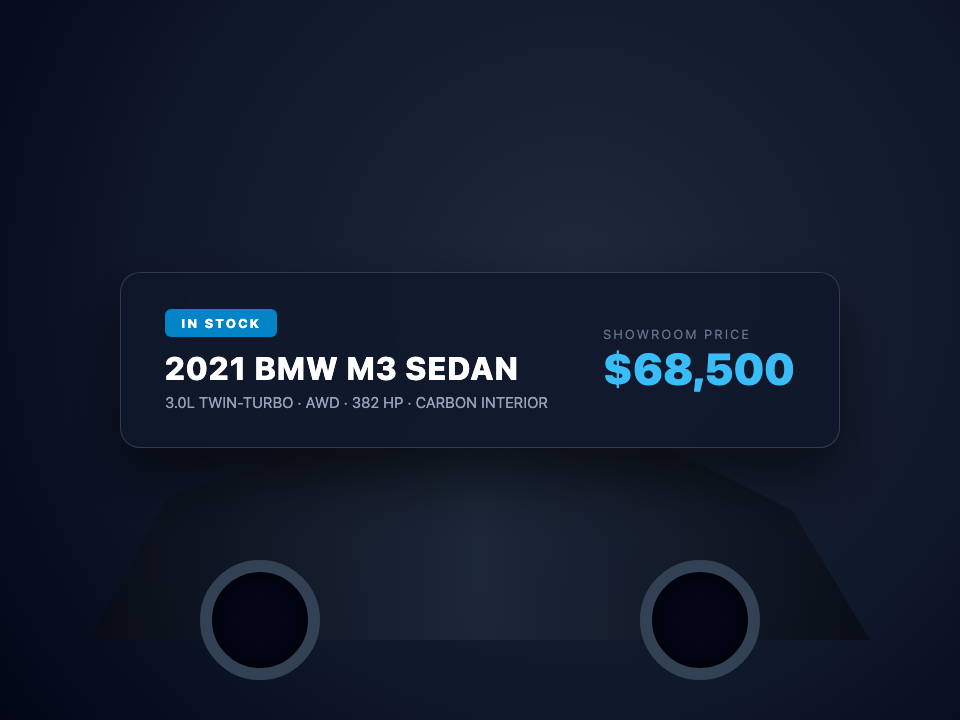
Original Automotive
BEFORE
IN STOCK · 2021 BMW M3 · $68,500
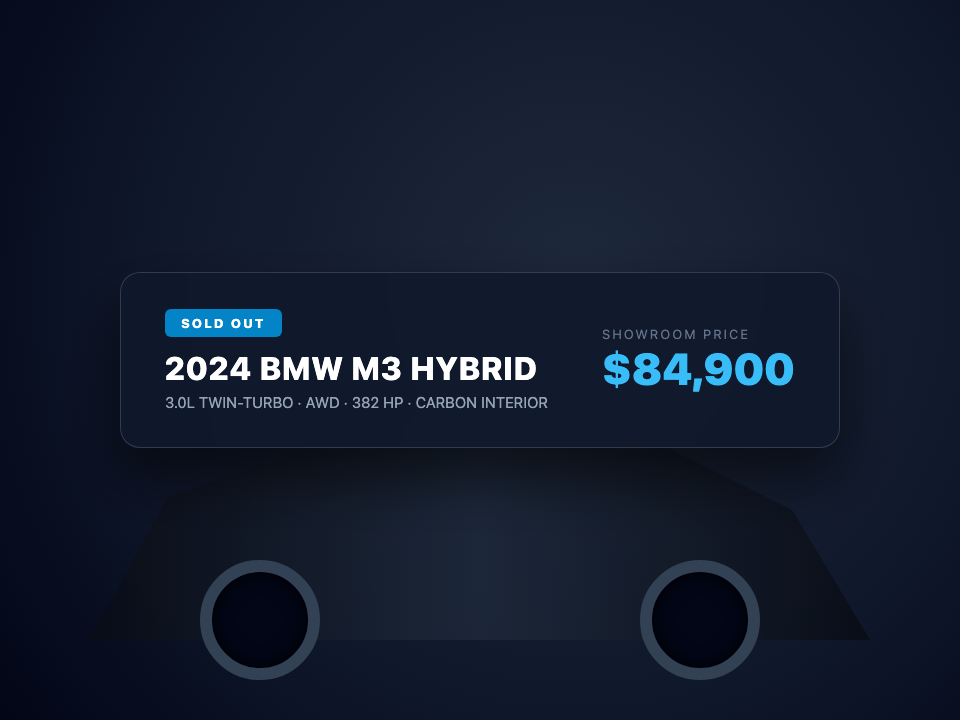
AI edited Automotive
AFTER
SOLD OUT · 2024 BMW M3 · $84,900
Automotive & DealershipsCase #7

Showroom Model Spec & Price Tag Adjustments

Directly update model year, inventory status, and prices on finished automotive showroom photography while maintaining glossy paint reflections and dark ambient lighting.

IN STOCK · 2021 BMW M3 · $68,500SOLD OUT · 2024 BMW M3 · $84,900
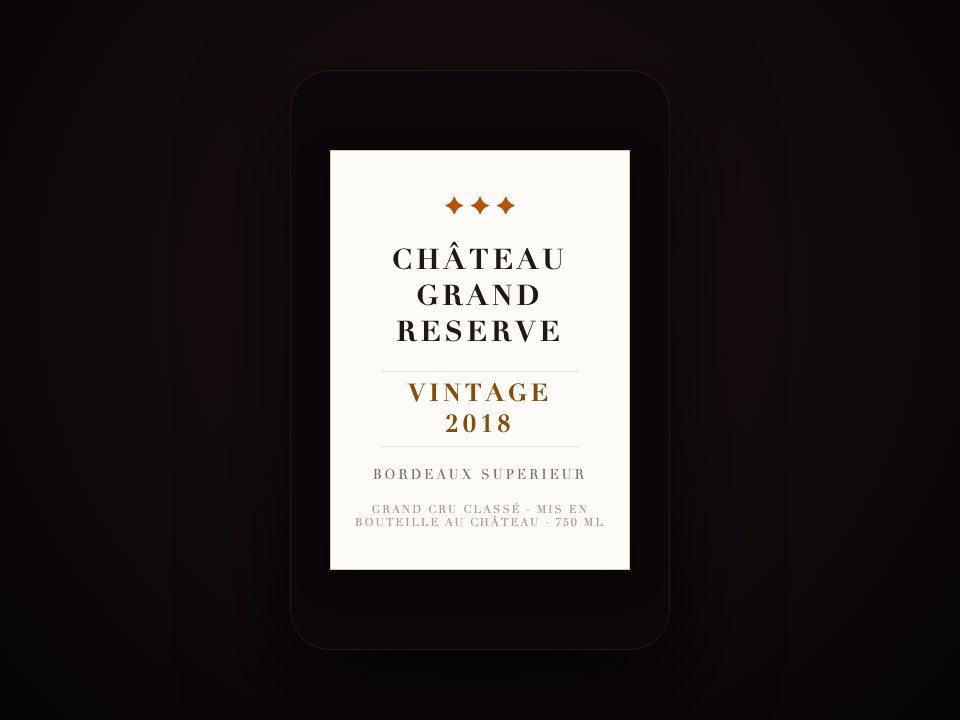
Original Wine & Spirits
BEFORE
VINTAGE 2018 · BORDEAUX SUPERIEUR
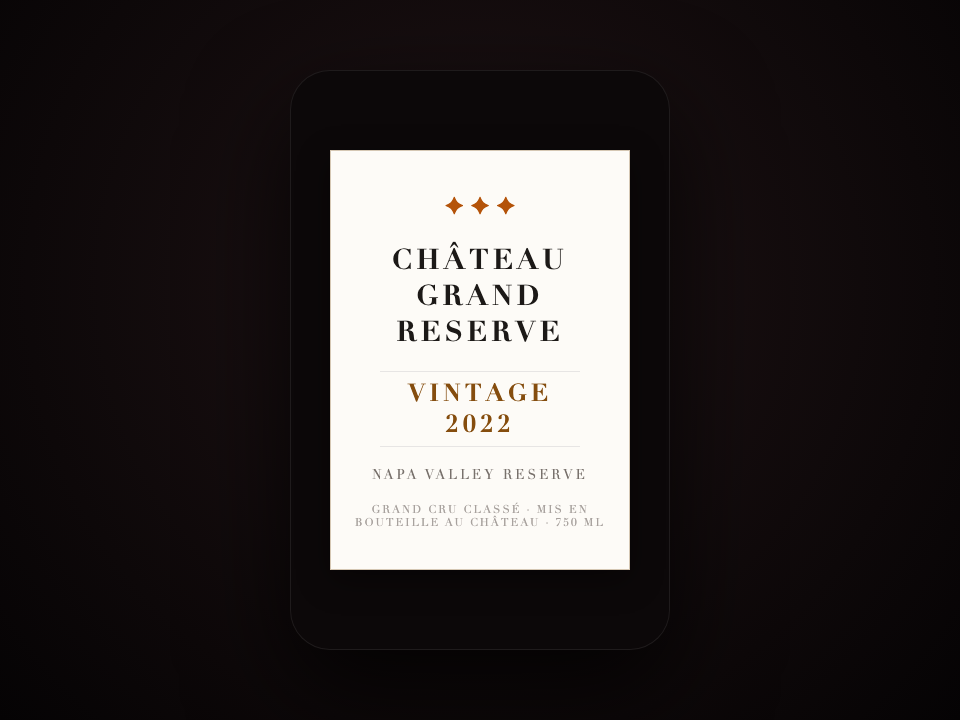
AI edited Wine & Spirits
AFTER
VINTAGE 2022 · NAPA VALLEY RESERVE
Spirits & PackagingCase #8

Vintage Years & Terroir Appellation Label Updates

Customizes vintage release years, terroir appellations, and batch numbers on premium wine bottle labels with authentic antique paper grain.

VINTAGE 2018 · BORDEAUX SUPERIEURVINTAGE 2022 · NAPA VALLEY RESERVE
Original Fashion & Apparel
BEFORE
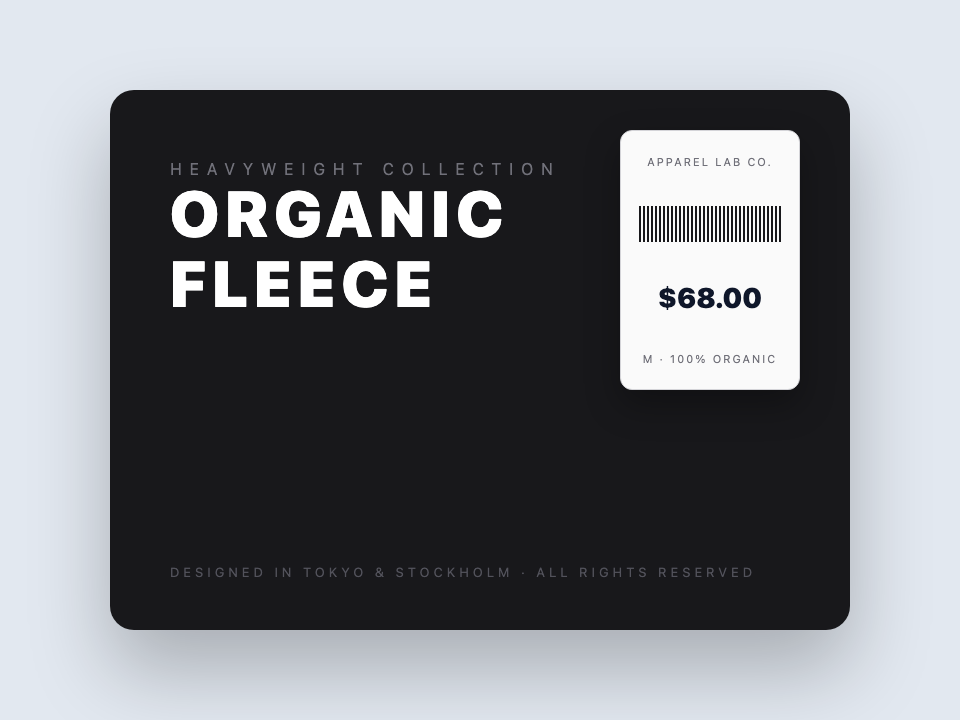
ORGANIC FLEECE · $68.00
AI edited Fashion & Apparel
AFTER
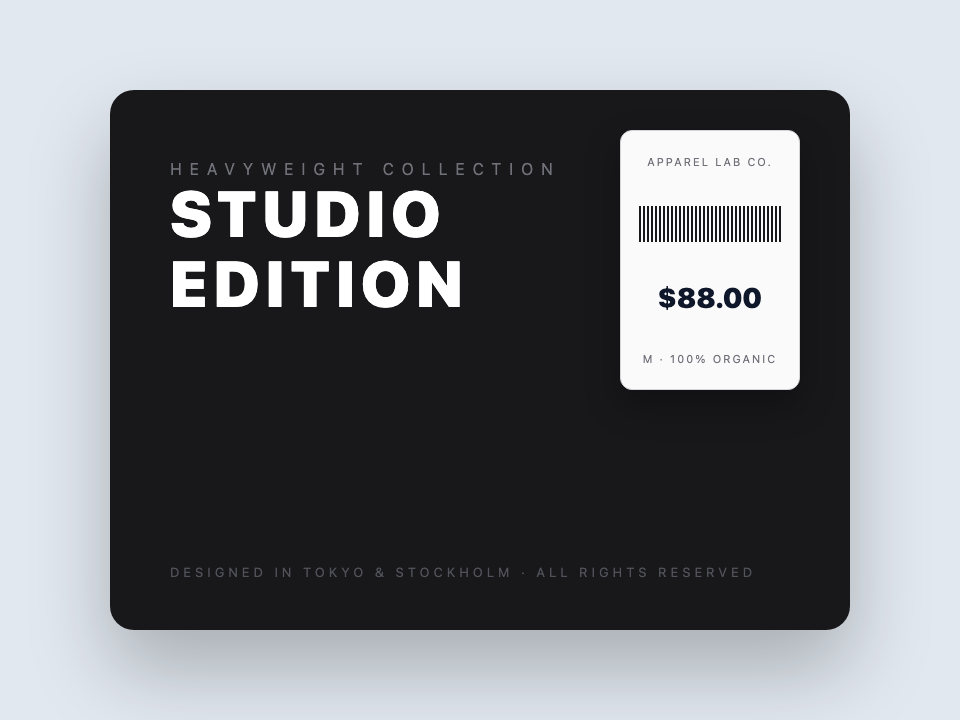
STUDIO EDITION · $88.00
Apparel & MerchandisingCase #9

Garment Price Tags & Graphic Print Typography

Modifies retail garment barcodes, price tags, and fabric typography on textile lookbooks without disrupting fabric weave, shadows, or fold creases.

ORGANIC FLEECE · $68.00STUDIO EDITION · $88.00
Original Event Badges
BEFORE
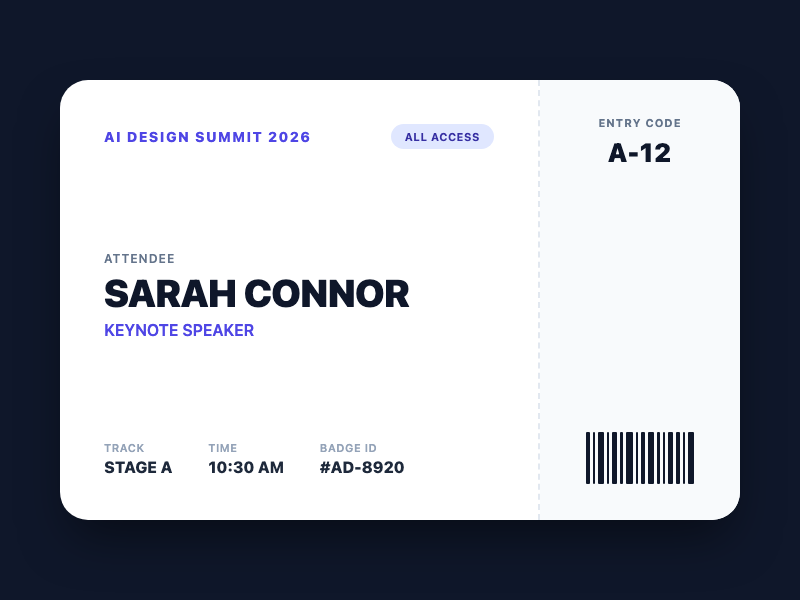
SARAH CONNOR · KEYNOTE SPEAKER
AI edited Event Badges
AFTER
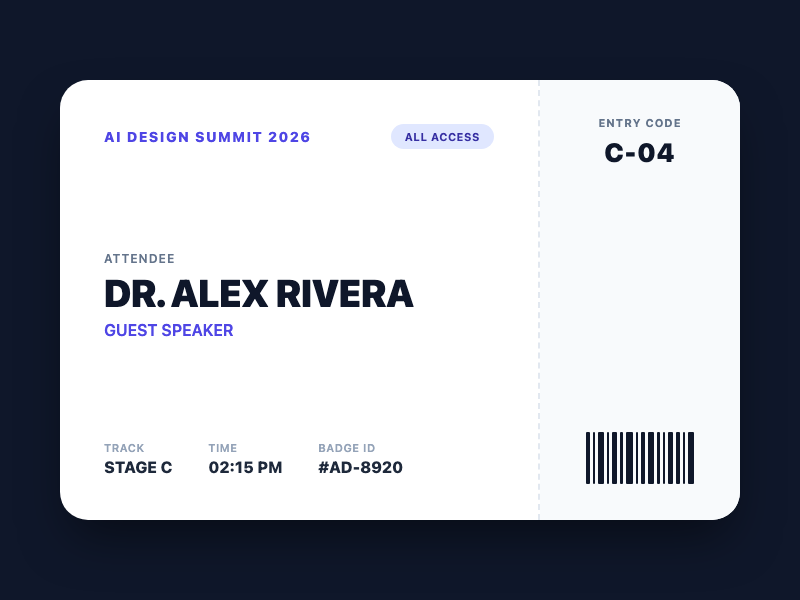
DR. ALEX RIVERA · GUEST SPEAKER
Events & TicketsCase #10

Conference Badges & Attendee Name Updates

Updates attendee names, keynote titles, and stage dates on conference badges and event ticket mockups with crisp typographic alignment.

SARAH CONNOR · KEYNOTE SPEAKERDR. ALEX RIVERA · GUEST SPEAKER
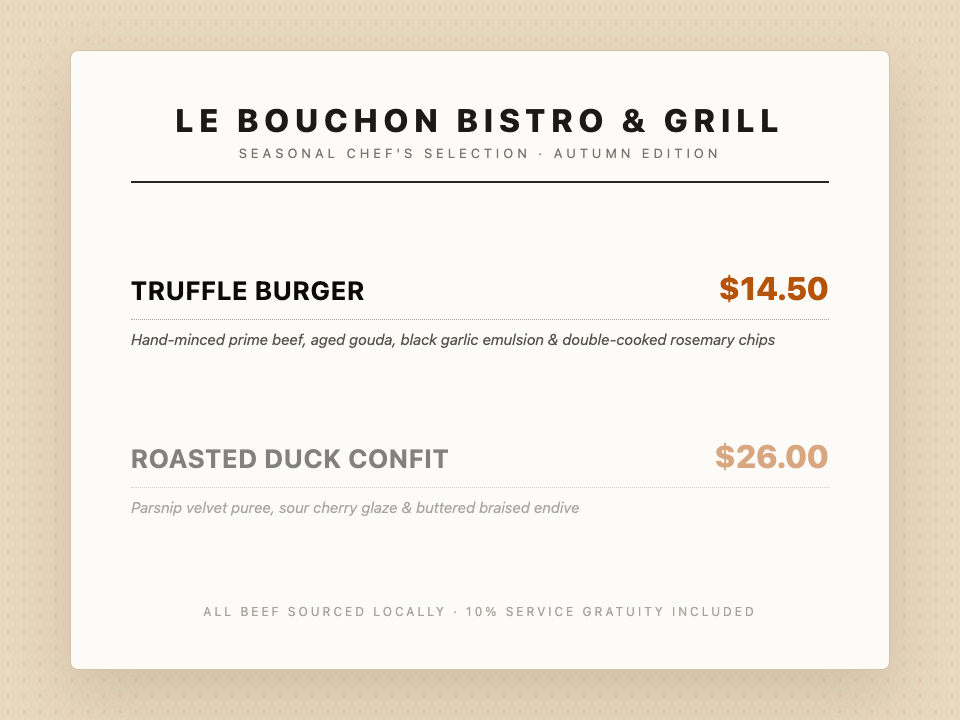
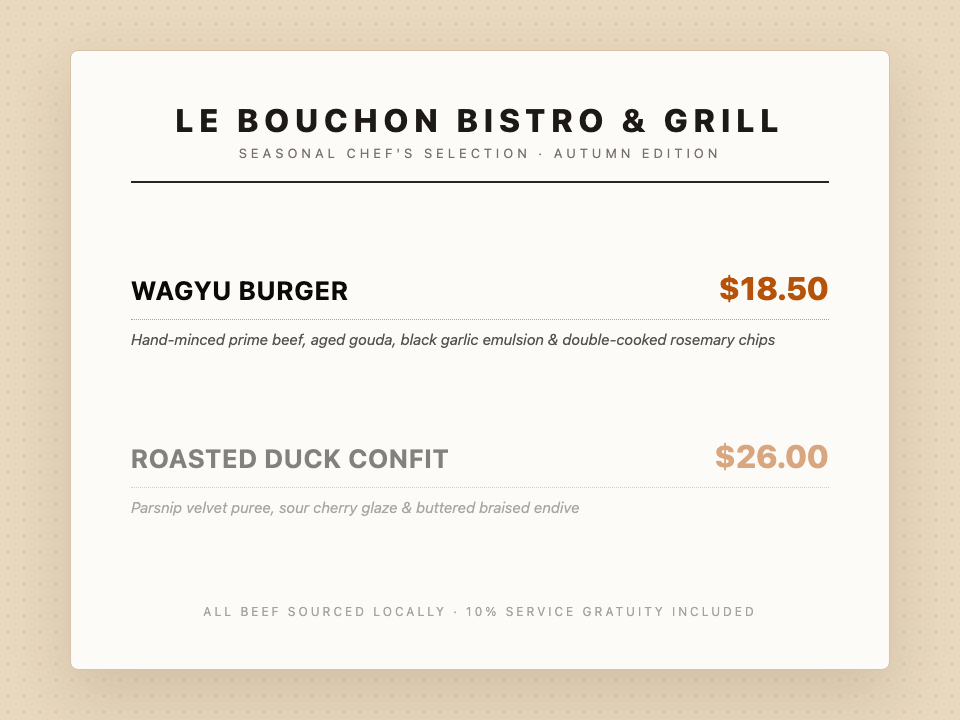
Original Restaurant Menus
BEFORE
TRUFFLE BURGER · $14.50
AI edited Restaurant Menus
AFTER
WAGYU BURGER · $18.50
Dining & MenusCase #11

Kraft Paper Menus & Seasonal Price Adjustments

Updates dish headlines and seasonal prices on finished printed menus while preserving tactile paper grain, ink absorption, and layout margins.

TRUFFLE BURGER · $14.50WAGYU BURGER · $18.50
Original Sale Banners
BEFORE
UP TO 40% OFF
AI edited Sale Banners
AFTER
UP TO 50% OFF
E-Commerce & AdsCase #12

Promotional Banner Discounts & Seasonal Sale Headlines

Directly update discount percentages, promotional themes, and CTAs on finalized e-commerce banners and social media promo graphics while preserving subtle gradients and glows.

UP TO 40% OFFUP TO 50% OFF
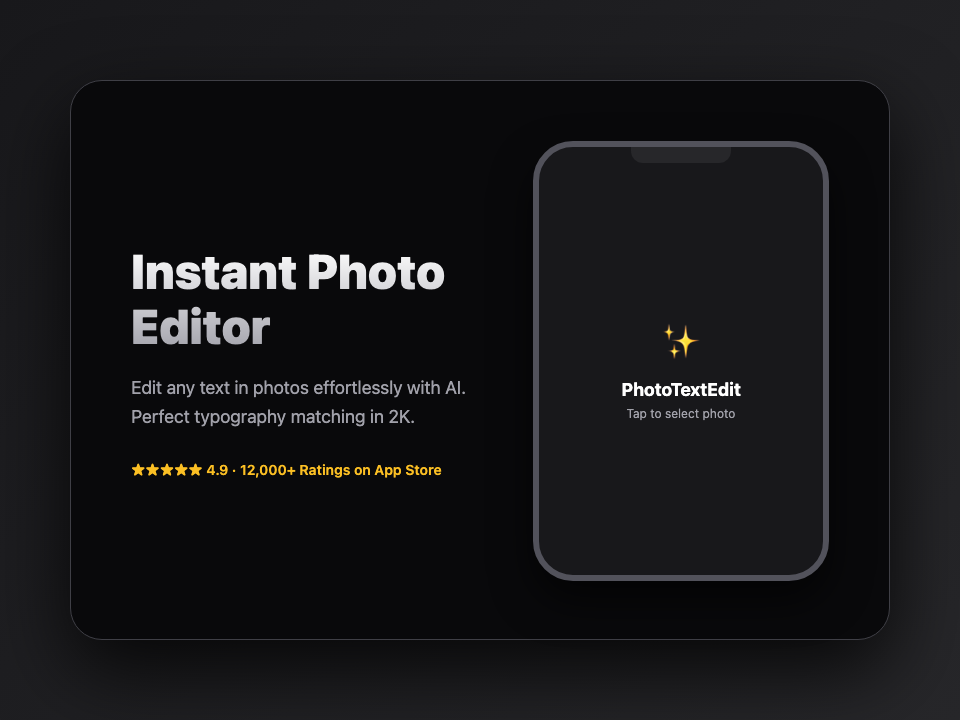
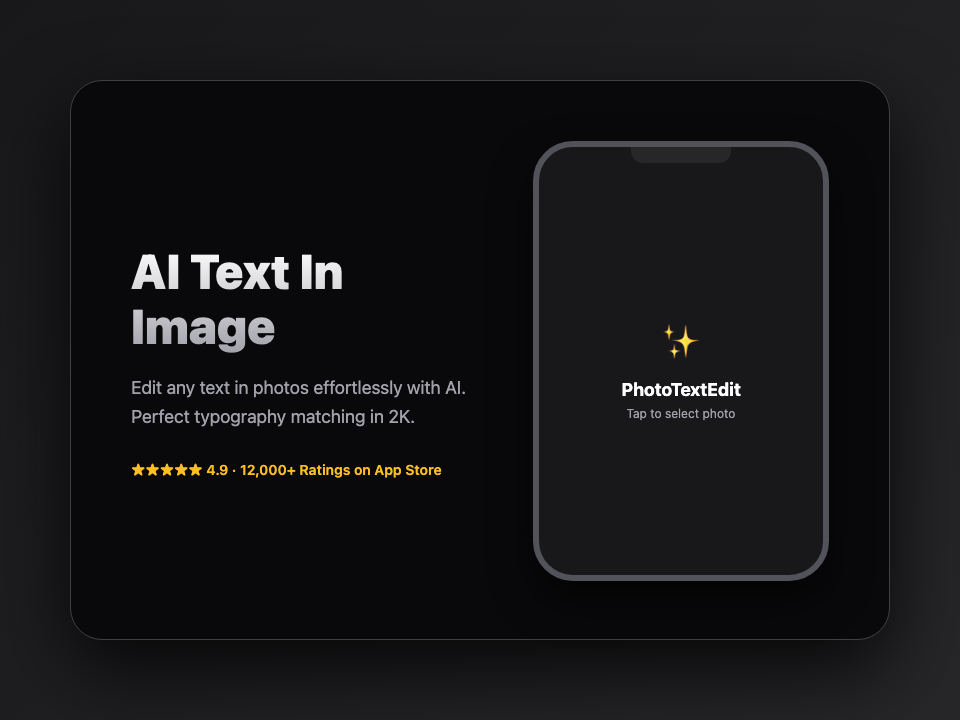
Original App Store UI
BEFORE
Instant Photo Editor
AI edited App Store UI
AFTER
AI Text In Image
App Store & LocalizationCase #13

App Store Screenshot Localization & UI Copy Updates

Replaces marketing headlines, CTA buttons, and UI descriptions on mobile app store screenshots across multiple languages without rebuilding Figma files.

Instant Photo EditorAI Text In Image

From Quick Fixes to Commercial Workflows

Tailored for specific design and business tasks. Click to open dedicated tools.

Real Estate

Real Estate & Property Listings

Update listing status and asking prices on finished property photography without reopening RAW files.

Open Dedicated Tool
Skincare & E-Commerce

Product Packaging & SKU Variants

Swap day cream to night cream, SKU variants, and ingredient labels on product shots without reshooting.

Open Dedicated Tool
Automotive

Automotive Dealerships & Inventory

Update model trim, availability, and sticker price while keeping pristine vehicle reflections intact.

Open Dedicated Tool
Spirits & Wine

Wineries & Spirits Customization

Update vintage years and vineyard terroir names on bottle shots with intact paper grain.

Open Dedicated Tool
Fashion

Apparel Brands & Lookbooks

Change garment tags and chest print typography on lookbooks without retaking photos.

Open Dedicated Tool
Events & Badges

Conference Badges & Event Passes

Update speaker names and stage schedules on conference badge mockups with sharp typesetting.

Open Dedicated Tool
Dining & Hospitality

Restaurant & Printed Menus

Change seasonal dishes and inflation price updates on final menu layouts with intact kraft paper grain.

Open Dedicated Tool
App Localization

App Store Screenshot Localization

App Store requires screenshots in 10+ languages. Swap text directly on UI captures with crisp native styling.

Open Dedicated Tool
E-Commerce & Ads

E-Commerce Banners & Sale Creatives

Update promotional headlines, discount percentages, and CTA buttons on banner ads without reopening Photoshop.

Open Dedicated Tool
Design Reuse

Reusing Past Event Assets

That beautiful flyer from last year? Just update the year and venue. Save hundreds of dollars every season.

Open Dedicated Tool

When is PhotoTextEdit the Right Tool?

Clear capabilities and transparent boundaries so you know exactly what to expect

Ideal Use Cases

Where our AI excels and delivers best-in-class output

E-commerce packaging & labels (No studio reshoots)

Update ingredients, net weights, or branding directly on existing product photos without booking expensive commercial reshoots.

App Store localization (No Figma rebuilding)

Swap text on app screenshots into 10+ languages directly instead of rebuilding and re-exporting Figma mockups.

Ad creative & headline A/B testing

Test different headlines and CTA buttons on finished banner ads to run fast conversion experiments without waiting for designers.

Finished graphics without design source files

Your design file (PSD/AI/Figma) is lost or the designer is offline. Use our photo text editor to edit text directly on the flattened image.

Strict font, lighting, and perspective matching

3D signage, curved packaging, or conference badges and event ticket mockups requiring seamless blending with ambient shadows.

When Not To Use

Transparent guidance to save your time

Designing a graphic from a blank canvas

This image text editor is built specifically to edit text in an image that already exists. For blank canvas design, tools like Canva or Figma are better.

Extremely tiny or heavily pixelated text (< 15px)

Letters only a few pixels tall lack character cues. Always upload the highest resolution version available.

Multi-page PDFs or thick document packages

Uploads are single PNG, JPEG or WebP images up to 10 MB. Please export your target page as an image first.

Identity documents, official seals, or fraudulent edits

We strictly block edits to passports, government IDs, official stamped certificates, and deceptive alterations.

How to Edit Existing Text in a Photo

Three precise steps to edit text on images and photos with publication-ready typography.

Step 01

Upload an image

Upload any photo, poster, screenshot or graphic into the online photo text editor.

Phase 1Ready →
Step 02

Specify the text change

Enter original text and new text to edit text on image with automatic font and perspective matching.

Phase 2Ready →
Step 03

Check and download

Compare the edited image with the original. Download your high-res result without watermarks.

Phase 3Ready →

Pay only for what you use.

One-time credit packs, priced in USD. No subscription. Credits never expire.

Starter

$9.99

30 credits · $0.333 per edit

  • Same editing features in every pack
  • 2K AI output with purchased credits · Free credits render at 1K
  • Purchased credits never expire
  • Download completed results without another charge
  • Credits are automatically returned for confirmed failed AI jobs

Pro

POPULAR

$19.99

75 credits · $0.267 per edit

  • Same editing features in every pack
  • 2K AI output with purchased credits · Free credits render at 1K
  • Purchased credits never expire
  • Download completed results without another charge
  • Credits are automatically returned for confirmed failed AI jobs

Studio

$39.99

180 credits · $0.222 per edit

  • Same editing features in every pack
  • 2K AI output with purchased credits · Free credits render at 1K
  • Purchased credits never expire
  • Download completed results without another charge
  • Credits are automatically returned for confirmed failed AI jobs

Credits never expire · Failed generations are automatically refunded · Commercial use included

Frequently Asked Questions

Trial credits and pricing, explained

Everything you need to know about credits, processing tiers, and font matching.

What is the difference between Fast and Pro mode?

Fast mode (1 credit) adaptively supports any aspect ratio, including panoramas and long banners with no shape limits, perfect for everyday edits and multi-word replacements. Pro mode (3 credits) delivers 2K flagship textures and realistic lighting for commercial graphics (handles 1:3 to 3:1 aspect ratios).

Is image text editing free?

AI text editing uses credits; enjoy free trial credits upon signup. Purchase pay-as-you-go packs when you need more. Free Add Text overlay is completely free with no signup.

Do I need an account?

You can prepare an image before signing in. AI generation requires an account; free text overlays and downloads do not.

When are credits used?

Credits are reserved when an AI edit begins (1 credit for Fast, 3 credits for Pro). Successful jobs are finalized; confirmed failed or canceled jobs are refunded automatically. Downloading a completed result does not cost another credit. Purchased credits never expire; signup trial credits may have a separate expiry.

Will every font and background match exactly?

No. Small text, curved surfaces and complex backgrounds need careful review. Check text accuracy and the surrounding image before using any result.

Still have questions?

Trouble with an edit, billing questions, or feedback? Contact our team directly at support@phototextedit.com.

Instant AI Image Typography

Start with the words you need to change

Prepare your image and review the trial rules. More edits use purchased credits.

No Photoshop neededFree trial includedZero installation
Open text editorSet up in 10 seconds, get your first AI edit in 30–60s