Fix garbled AI text. Keep the art intact.

Repair misspelled words, mangled letters and typos in Midjourney, DALL·E and Stable Diffusion images with precision AI text replacement.

No image? Try these:

Click to load example
Credits
Replace text

1 credits · 30–60s

Failed generations are automatically refunded.

By clicking Generate, you confirm you own or are licensed to edit this image and that the edit is not intended to deceive a third party — including visa or immigration submissions, fake refund or transaction proofs, and email or chat screenshots altered to falsify sender, content, or timestamp. We do not process IDs, passports, visa support letters, official seals, bank statements, or tampered receipts. Violations result in account termination without refund; request logs are preserved. See Acceptable Use

Trial credits available after sign-upNo subscription · Pay as you goCredits never expireCommercial use included

Trusted by 100,000+ creators & businesses across 180+ countries

Fix text in AI art without re-rolling prompts

AI image generators often render text as gibberish symbols or misspelled words. Re-rolling prompts destroys your original composition and characters. PhotoTextEdit targets typos directly on your finished image, replacing them seamlessly while preserving lighting, textures, and artistic style.

Read the step-by-step guide

Repair Misspelled Words in AI Artwork

Interactive design examples, not AI-generated results. Load a sample to try your own edit.

Fix Midjourney Coffee Shop Signage — Design preview
Fix Midjourney Coffee Shop Signage — Before
Before
After
Drag slider to compare before and after50%
01Fix AI Misspelled Storefront

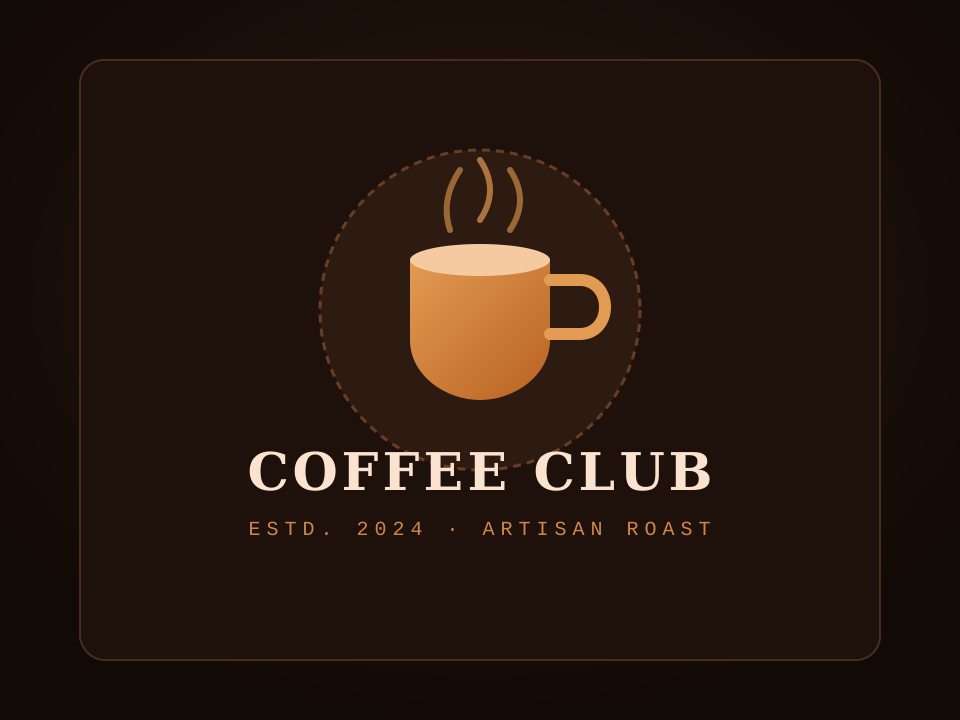
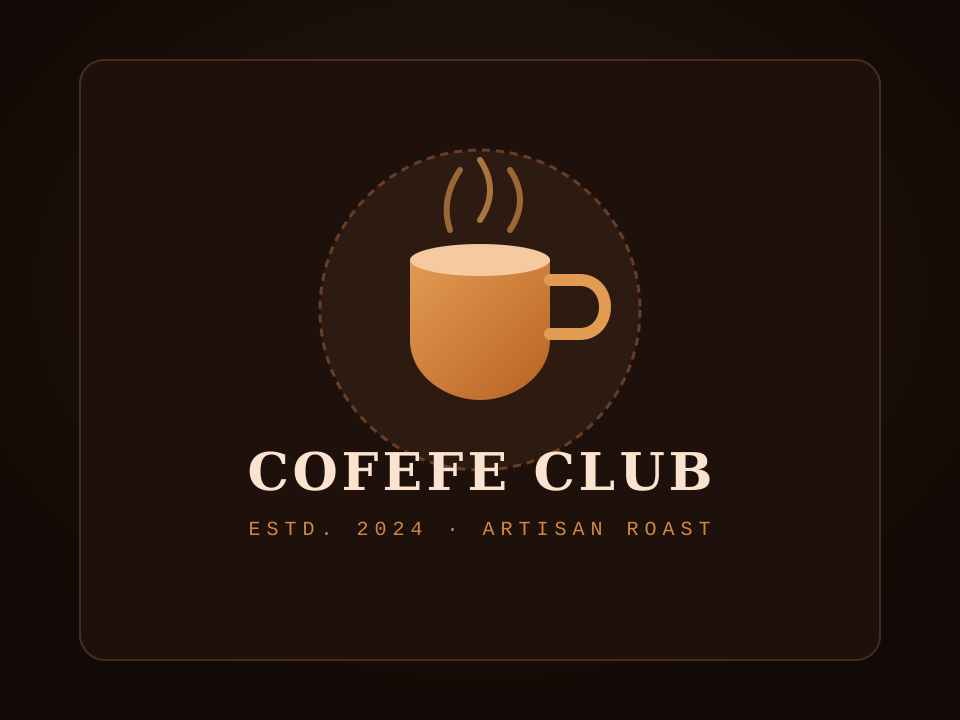
Fix Midjourney Coffee Shop Signage

Corrects misspelled COFEFE CLUB to COFFEE CLUB on an AI-generated vintage storefront sign, preserving retro wood grain and golden typography.

COFEFE CLUBCOFFEE CLUB
Sci-Fi Concept Poster Typography — Design preview
Sci-Fi Concept Poster Typography — Before
Before
After
Drag slider to compare before and after50%
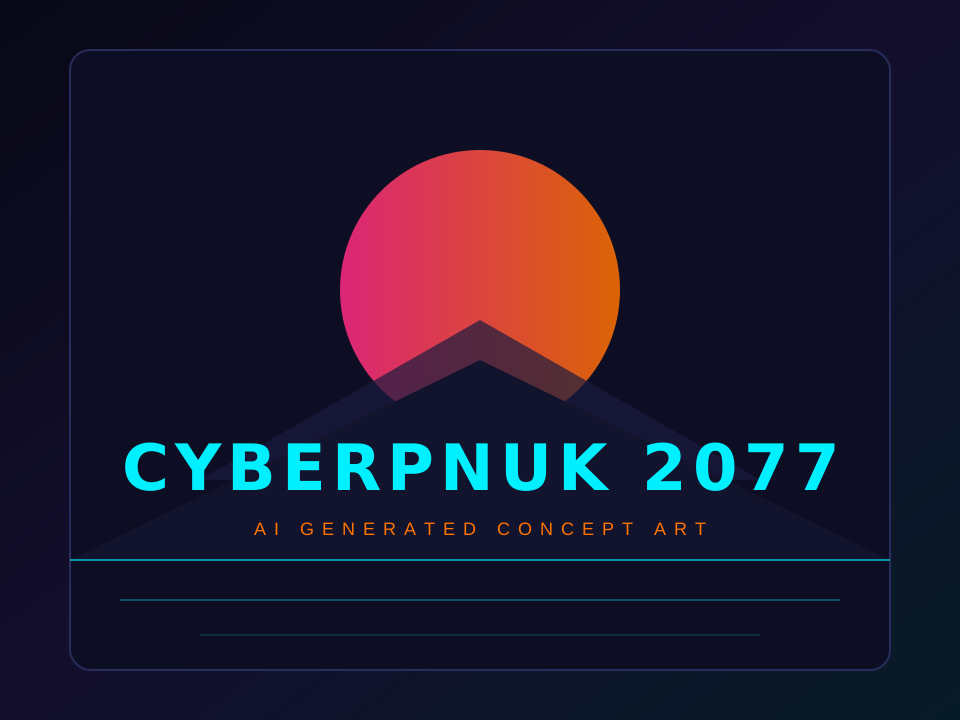
02Sci-Fi Art Typo Correction

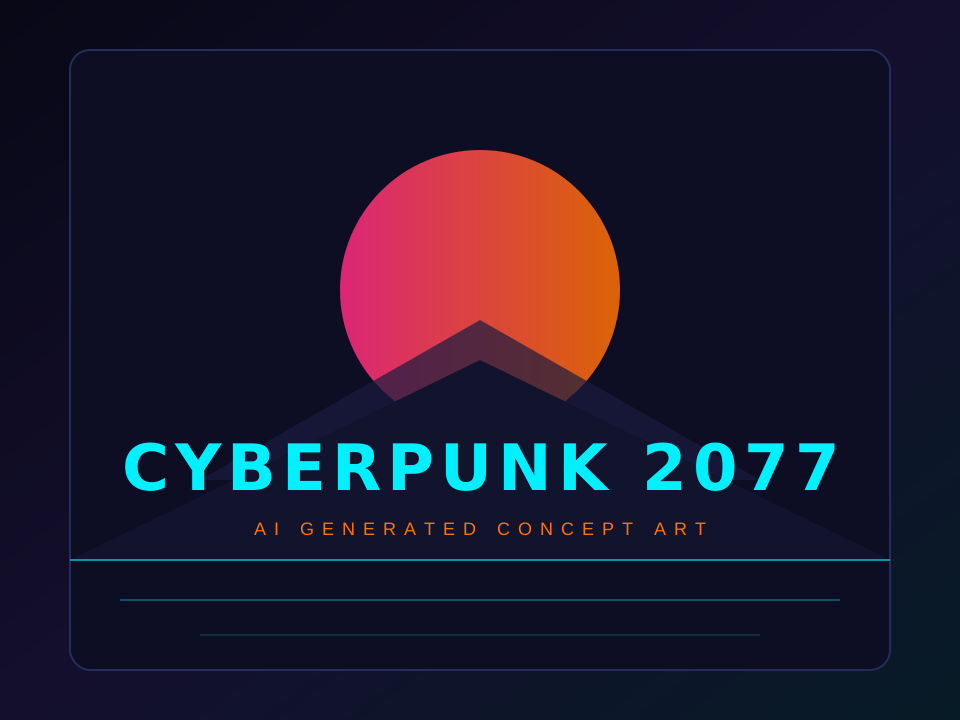
Sci-Fi Concept Poster Typography

Replaces garbled CYBERPNUK 2077 with crisp CYBERPUNK 2077 on futuristic neon concept artwork without shifting perspective grid lines.

CYBERPNUK 2077CYBERPUNK 2077
Fantasy Novel Cover Typo Correction — Design preview
Fantasy Novel Cover Typo Correction — Before
Before
After
Drag slider to compare before and after50%
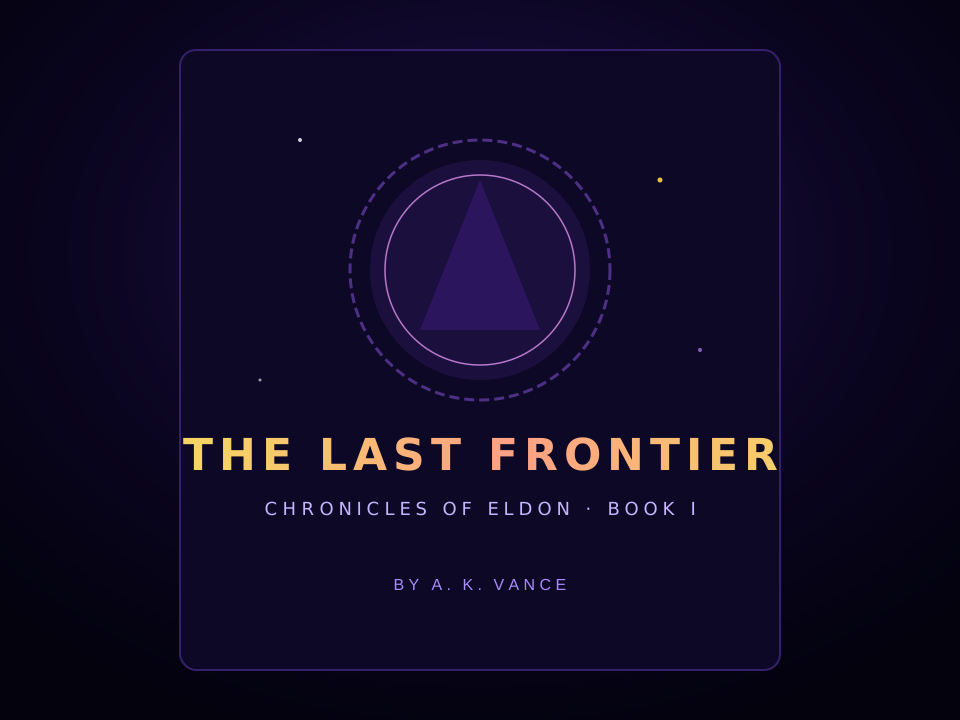
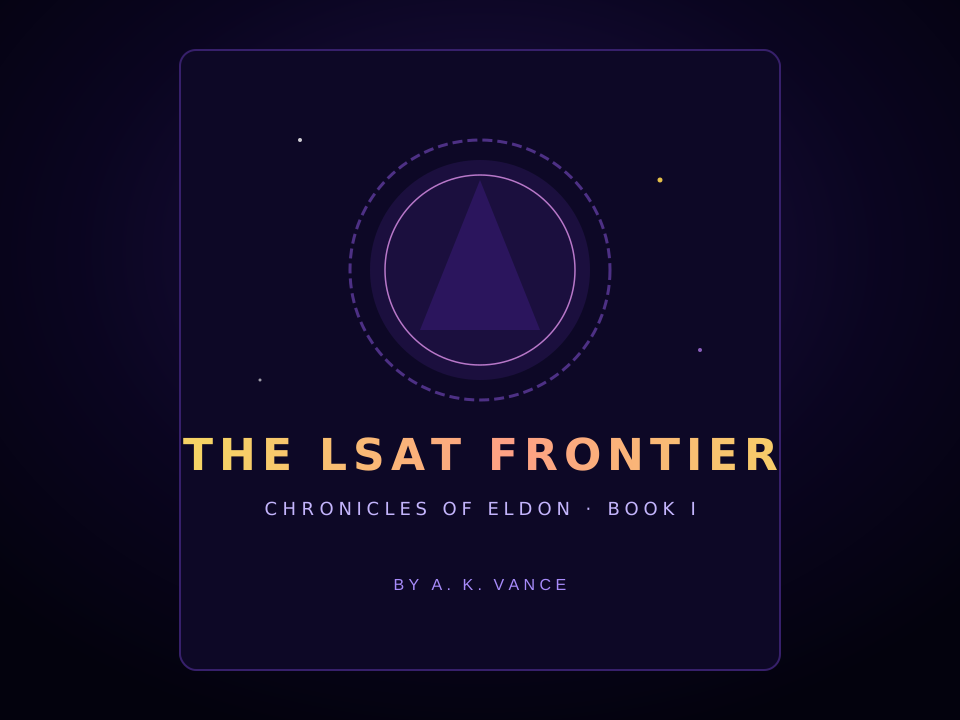
03Novel Cover Typo Correction

Fantasy Novel Cover Typo Correction

Fixes misspelled THE LSAT FRONTIER to THE LAST FRONTIER on a Midjourney fantasy book cover, retaining starry galaxy lighting and golden serif typography.

THE LSAT FRONTIERTHE LAST FRONTIER

How to Fix Text in an AI-Generated Image

Fast, non-destructive editing in three simple steps.

STEP 01

Upload your AI image

Upload any Midjourney, DALL·E, Flux or Stable Diffusion artwork (PNG, JPG or WebP up to 10 MB).

STEP 02

Enter the misspelled word

Type the misspelled word exactly as it appears in the image, then enter your clean replacement text. Choose Fast or Pro mode.

STEP 03

Inspect & download

Zoom in to compare the corrected lettering. Once satisfied with the spelling and typography texture, export your lossless image with all other areas intact.

Pro Tips

Get a cleaner result

  • Keep the corrected word close to the original length to preserve the artwork's layout.
  • Works seamlessly on stylized 3D, neon, vintage, cyberpunk and watercolor art styles.
  • Save valuable GPU render credits instead of re-generating the entire image for a single typo.

Questions About Fixing AI Image Text

Common questions about text replacement and accuracy

Why do AI image generators misspell text?

Diffusion models treat text as visual textures and patterns rather than distinct linguistic characters, which frequently leads to garbled characters, missing strokes or duplicated letters.

Will modifying text alter other parts of my AI artwork?

Our tool focuses exclusively on the specified text bounding area, keeping the surrounding illustration, character faces, lighting and textures intact.

Which AI models are supported?

All of them. Whether your image came from Midjourney, FLUX, Stable Diffusion, DALL·E 3, Ideogram, or Adobe Firefly, you can upload and fix it immediately.

Can I try fixing an AI image for free?

Yes. New users receive complimentary trial credits upon signup. Fast edits cost 1 credit and Pro edits cost 2 credits.

Start with your own image

Ready to edit text in your photo? Upload and preview within seconds.

Open the editor

Pay only for what you use.

One-time credit packs, priced in USD. No subscription. Credits never expire.

Starter

$9.99

30 credits · $0.333 per edit

  • Same editing features in every pack
  • 2K AI output with purchased credits · Free credits render at 1K
  • Purchased credits never expire
  • Download completed results without another charge
  • Credits are automatically returned for confirmed failed AI jobs

Pro

POPULAR

$19.99

75 credits · $0.267 per edit

  • Same editing features in every pack
  • 2K AI output with purchased credits · Free credits render at 1K
  • Purchased credits never expire
  • Download completed results without another charge
  • Credits are automatically returned for confirmed failed AI jobs

Studio

$39.99

180 credits · $0.222 per edit

  • Same editing features in every pack
  • 2K AI output with purchased credits · Free credits render at 1K
  • Purchased credits never expire
  • Download completed results without another charge
  • Credits are automatically returned for confirmed failed AI jobs

Credits never expire · Failed generations are automatically refunded · Commercial use included

When is PhotoTextEdit the Right Tool?

Clear capabilities and transparent boundaries so you know exactly what to expect

Ideal Use Cases

Where our AI excels and delivers best-in-class output

E-commerce packaging & labels (No studio reshoots)

Update ingredients, net weights, or branding directly on existing product photos without booking expensive commercial reshoots.

App Store localization (No Figma rebuilding)

Swap text on app screenshots into 10+ languages directly instead of rebuilding and re-exporting Figma mockups.

Ad creative & headline A/B testing

Test different headlines and CTA buttons on finished banner ads to run fast conversion experiments without waiting for designers.

Finished graphics without design source files

Your design file (PSD/AI/Figma) is lost or the designer is offline. Use our photo text editor to edit text directly on the flattened image.

Strict font, lighting, and perspective matching

3D signage, curved packaging, or conference badges and event ticket mockups requiring seamless blending with ambient shadows.

When Not To Use

Transparent guidance to save your time

Designing a graphic from a blank canvas

This image text editor is built specifically to edit text in an image that already exists. For blank canvas design, tools like Canva or Figma are better.

Extremely tiny or heavily pixelated text (< 15px)

Letters only a few pixels tall lack character cues. Always upload the highest resolution version available.

Multi-page PDFs or thick document packages

Uploads are single PNG, JPEG or WebP images up to 10 MB. Please export your target page as an image first.

Identity documents, official seals, or fraudulent edits

We strictly block edits to passports, government IDs, official stamped certificates, and deceptive alterations.