Edit text on product packaging. Keep brand fonts & bottle curves without reshooting.

Change brand names, bottle labels, cosmetic packaging, and pouch text on product photos without Photoshop or reshooting. AI preserves original fonts, 3D cylindrical curves, and lighting.

No image? Try these:

Click to load example
Credits
Replace text

1 credits · 1K (30–60s)

Failed generations are automatically refunded.

By clicking Generate, you confirm you own or are licensed to edit this image and that the edit is not intended to deceive a third party — including visa or immigration submissions, fake refund or transaction proofs, and email or chat screenshots altered to falsify sender, content, or timestamp. We do not process IDs, passports, visa support letters, official seals, bank statements, or tampered receipts. Violations result in account termination without refund; request logs are preserved. See Acceptable Use

Trial credits available after sign-upNo subscription · Pay as you goCredits never expireCommercial use included

Trusted by 100,000+ creators & businesses across 180+ countries

How to change existing text on product packaging without Photoshop

Have a product packaging photo or mockup but no original design file (.PSD/.AI)? PhotoTextEdit allows you to replace brand names, bottle labels, cosmetic jars, and pouch text directly in your browser. Generative AI analyzes typography, lighting highlights, and 3D cylindrical curves to replace lettering seamlessly without expensive studio reshoots.

Works directly on flat JPG/PNG photos without original design files
Maintains 3D cylindrical curvature, glass reflections, and highlights
Preserves exact brand typography, font weight, and stroke width
Avoid costly commercial reshoots, physical samples, and delays
Read the step-by-step guide

Packaging & Bottle Label Text Replacement Examples

All samples below are actual AI test results processed by PhotoTextEdit, demonstrating realistic lighting, textures, and typography. Click any preset to load and verify live.

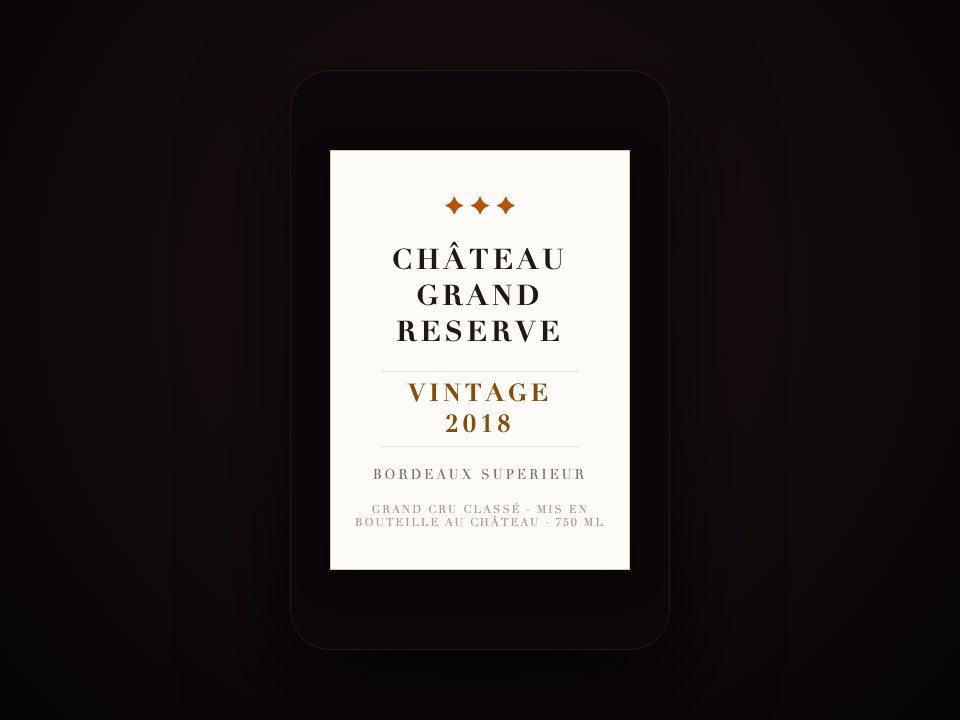
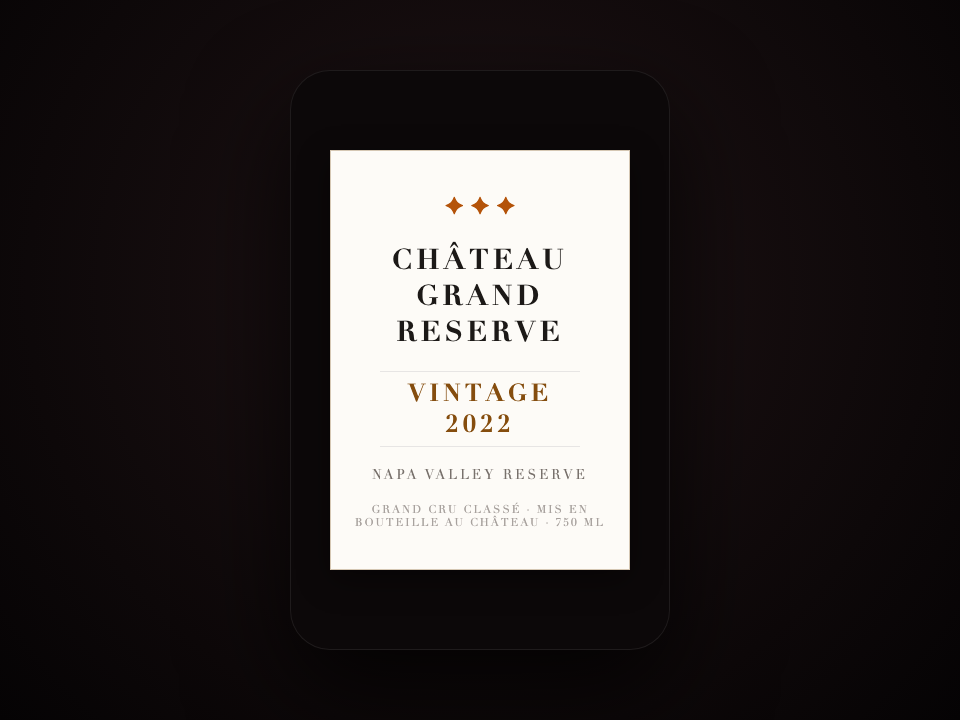
Wine Bottle Label (Vintage Year) — AI result
Wine Bottle Label (Vintage Year) — Before
Before
AI Result
Drag slider to compare before and after50%
01Wine & Beverage Bottle LabelAI Verified

Wine Bottle Label (Vintage Year)

Update vintage years, vineyard appellations, and volume on wine bottles while keeping natural glass curvature and highlights.

20182022
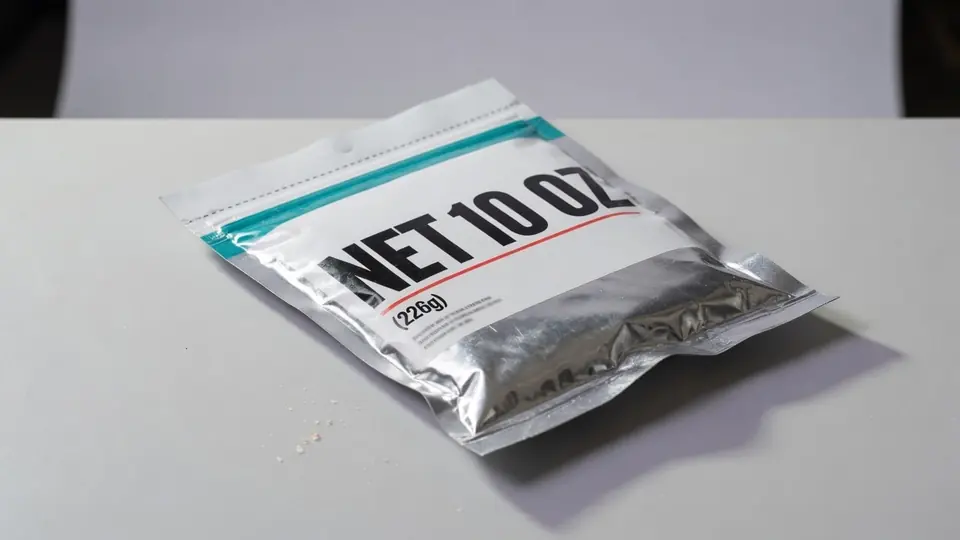
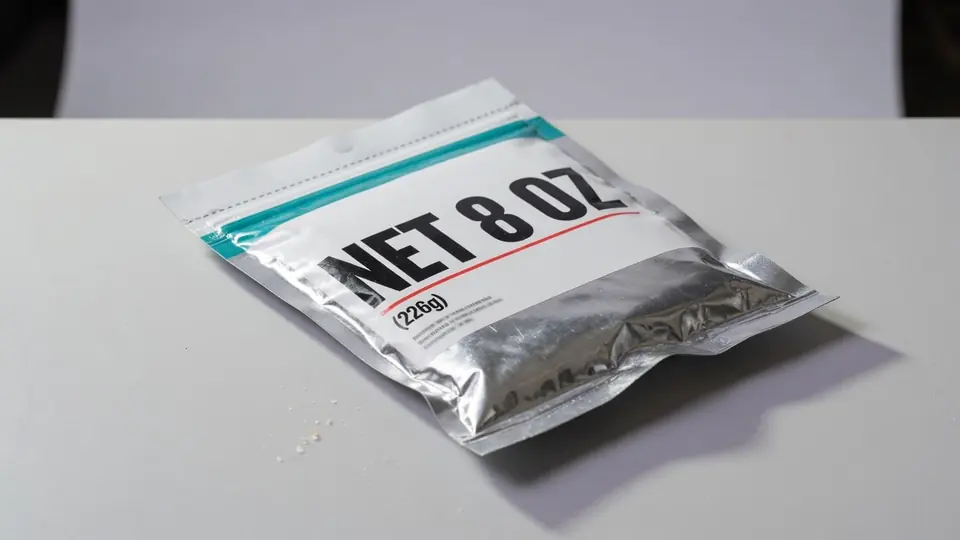
Cosmetics Pump Bottle (Net Weight) — AI result
Cosmetics Pump Bottle (Net Weight) — Before
Before
AI Result
Drag slider to compare before and after50%
02Skincare & Cosmetics PackagingAI Verified

Cosmetics Pump Bottle (Net Weight)

Update net weight and volume claims on skincare pump bottles while preserving 3D cylindrical geometry and reflections.

NET 8 OZNET 10 OZ
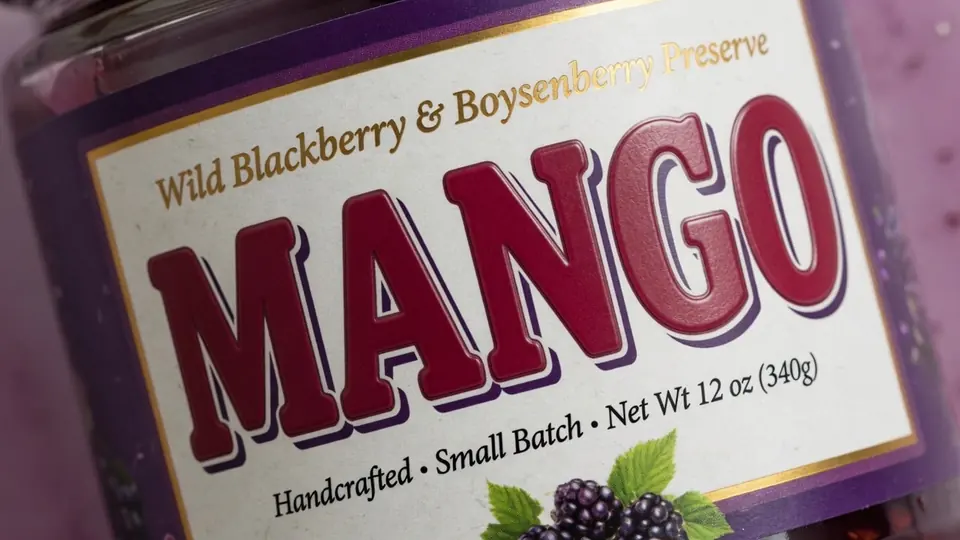
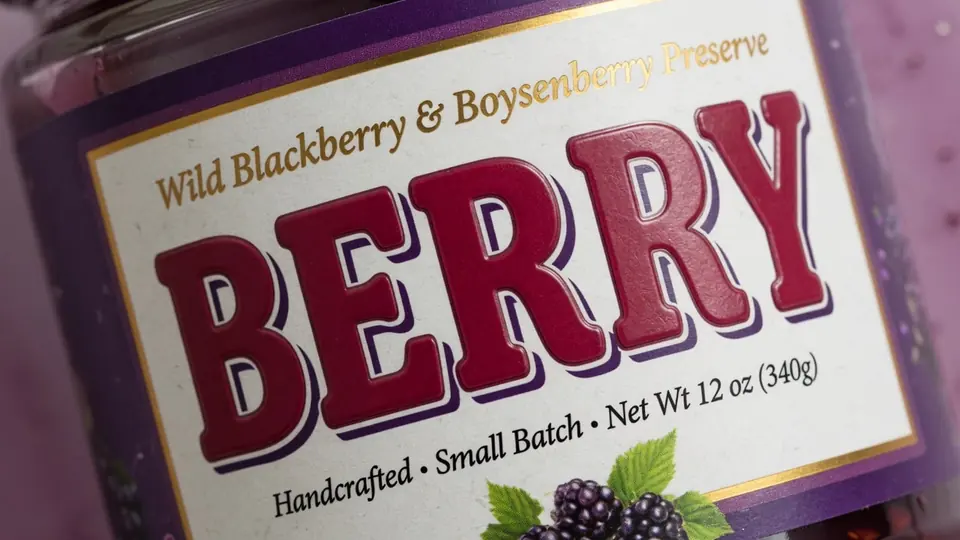
Food & Jam Jar Label (Flavor) — AI result
Food & Jam Jar Label (Flavor) — Before
Before
AI Result
Drag slider to compare before and after50%
03Wine & Beverage Bottle LabelAI Verified

Food & Jam Jar Label (Flavor)

Seamlessly update flavors and ingredients on glass jar labels while keeping texture and packaging reflections.

BERRYMANGO

How to Edit Text on Packaging in 3 Simple Steps

Fast, non-destructive editing in three simple steps.

STEP 01

Upload packaging photo or mockup

Upload your studio shot, Amazon/Shopify listing photo, or bottle mockup (PNG, JPG, WebP up to 10 MB).

STEP 02

Enter existing & replacement text

Type the exact text on the label and your new text (e.g. DAY CREAM to NIGHT CREAM, or 2018 to 2022).

STEP 03

Download realistic e-commerce render

Download high-definition product imagery ready for Amazon, Shopify, or marketing campaigns.

Pro Tips

Get a cleaner result

  • Preserves curved surface geometry on cylinders, bottles, pouches, and boxes.
  • Ideal for Amazon, Shopify, and cross-border e-commerce sellers testing market variants.
  • Full commercial usage rights included on all generated packaging images.

Packaging Text Editing & Label Replacement FAQ

Common questions about text replacement and accuracy

How can I change text on product packaging without Photoshop?

You can use an AI image text editor like PhotoTextEdit directly in your browser. Upload your flattened JPG or PNG packaging photo, enter the original words (such as a brand name, flavor, or claim), and type your replacement text. The AI inpainting model reconstructs the underlying surface and synthesizes new matching characters, preserving lighting, shadows, and packaging dielines without needing Photoshop layers or source files.

I have a product packaging photo, but no original design file. How can I replace the existing text while keeping the same font and packaging design?

PhotoTextEdit is specifically built for this situation. When you only have a flat JPG or PNG packaging photo, the generative AI analyzes the typographic characteristics (font family, weight, stroke, letter spacing) and cylindrical lighting directly from surrounding pixels. You simply enter the existing text on the package and your desired replacement. It renders identical matching typography in-place without needing the original design file (.PSD or .AI) or vector dielines.

Is there an AI tool to edit text on a product label in a photo?

Yes, PhotoTextEdit is designed specifically for modifying text directly on product labels and packaging photos. It isolates the text region, removes the old lettering while reconstructing the background texture, and paints the new text with authentic print geometry.

Can AI replace text on a cosmetic packaging photo without changing the background?

Yes. PhotoTextEdit isolates only the selected typography area. It analyzes surrounding glass, plastic, or matte reflections and cylindrical 3D geometry to ensure the new text wraps naturally around bottles and jars while keeping the product photo's background, props, and lighting untouched.

How do I change the brand name on a bottle mockup while keeping the same font?

Upload your bottle mockup, type the existing brand name in the original text box, and enter the new brand name. PhotoTextEdit synthesizes matching letterforms based on the surrounding typography, preserving font curvature and reflections.

Can I change product packaging text without reshooting the product?

Yes, that is the primary workflow for e-commerce and Amazon/Shopify brands. Instead of spending thousands of dollars on prototype manufacturing and studio reshoots, you can update product names, net weights, certification badges, or promotional copy directly on existing high-resolution photography.

How do I fix a typo or update volume and claims on an existing packaging mockup?

Simply upload your mockup, enter the misspelled word in the original text field, and type the correct spelling in the replacement field. The AI replaces only the specified letters or words while keeping all other packaging elements crisp and untouched.

Start with your own image

Ready to edit text in your photo? Upload and preview within seconds.

Open the editor

Pay only for what you use.

One-time credit packs, priced in USD. No subscription. Credits never expire.

Starter

$9.99

30 credits · $0.333 per edit

  • Same editing features in every pack
  • 2K AI output with purchased credits · Free credits render at 1K
  • Purchased credits never expire
  • Download completed results without another charge
  • Credits are automatically returned for confirmed failed AI jobs

Pro

POPULAR

$19.99

75 credits · $0.267 per edit

  • Same editing features in every pack
  • 2K AI output with purchased credits · Free credits render at 1K
  • Purchased credits never expire
  • Download completed results without another charge
  • Credits are automatically returned for confirmed failed AI jobs

Studio

$39.99

180 credits · $0.222 per edit

  • Same editing features in every pack
  • 2K AI output with purchased credits · Free credits render at 1K
  • Purchased credits never expire
  • Download completed results without another charge
  • Credits are automatically returned for confirmed failed AI jobs

Credits never expire · Failed generations are automatically refunded · Commercial use included

When is PhotoTextEdit the Right Tool for Packaging & Labels?

Practical capabilities and transparent boundaries for e-commerce bottles, jars, and packaging photos.

Ideal Use Cases

Where our AI excels and delivers best-in-class output

Wine & liquor bottle vintage & region updates

Fine-tune vintage years and appellations on dark or clear glass bottles while preserving cylindrical curve and specular highlights.

Cosmetics & skincare volume & spec updates

Update net volume or formula claims on pump bottles, frosted jars, and acrylic packaging (e.g., NET 8 OZ to 10 OZ).

Food & jam jar flavor & formula updates

Rapidly swap flavor names across product variations (e.g., BERRY to MANGO) while preserving authentic label paper texture.

Cross-border e-commerce multi-language listings

Avoid expensive studio reshoots and physical sampling by localizing packaging labels for Amazon, Shopify, or regional marketplaces.

Adaptive 3D cylindrical curves & material reflections

Generative AI accurately models cylinder curvature, gloss finishes, and shadow falloff so replacement lettering wraps naturally.

When Not To Use

Transparent guidance to save your time

Pre-press vector dielines from scratch

Designed for flat photos and renders. For CAD packaging dielines and pre-press CMYK plate separation, use Adobe Illustrator.

Precision barcode & QR code reconstruction

Barcodes require strict scan contrast ratios. We recommend pasting a fresh digital code rather than AI inpainting optical codes.

Counterfeiting drug batches or compliance stamps

Strictly prohibited: altering pharmaceutical batch numbers, organic certifications, or government regulatory stamps.

Illegible micro-text on blurry glare photos

Text heights below 8 pixels or regions completely washed out by harsh specular glare lack sufficient structural information.